How I Use Notion to Learn French: My Real Setup
A behind-the-scenes look at my actual Notion setup for learning French: the four databases I use every day, how they connect, and the exact daily routine.
People always assume my Notion French setup is some elaborate dashboard with twenty databases and color-coded everything. It isn't. It's four databases, one home page, and a fifteen-minute daily routine. The restraint is deliberate — anything heavier and I'd spend my study time maintaining Notion instead of learning French. Here's the real thing, exactly as I use it.
The home page: one screen, one decision
My French home page is intentionally boring. At the top, a single line: what I'm focusing on this week. Below that, three linked views — today's review queue, a quick-add button for logging mistakes, and this week's vocabulary. That's it. No motivational quotes, no streak widget, no clutter.
The rule I hold myself to: when I open this page, I should know what to do in under five seconds. If I ever have to think about where to start, the page has too much on it and I cut something.
Database 1: the Error Log
This is the heart of everything. Every time I get something wrong — in writing, with my tutor, talking to myself in the shower — it becomes a row. Fields: the wrong sentence, the correction, the rule it breaks, a topic tag, and a review counter.
The reason this database matters more than any vocabulary list is that it's mine. It's not a generic syllabus; it's a precise record of how my brain mishandles French. When I group it by topic, my real weaknesses jump out — for me it was past-participle agreement and the subjunctive, by a mile. That's where my effort goes now.
Database 2: the Rule Library
This is my grammar reference, but written in my own words. One row per concept: the rule in a sentence or two, a few examples, and the mistake I personally tend to make. Crucially, it's linked to the Error Log — so when I open the "subjunctive" rule, I see every error I've ever logged against it.
That link is the thing I'd struggle to live without. A rule explained in the abstract is forgettable. A rule sitting next to my own fourteen failed attempts is impossible to ignore.
Database 3: Vocabulary in context
I gave up on flat word lists years ago — they don't stick. This database stores words in a sentence I actually used or want to use. Fields: the word, an example sentence from my real life, gender for nouns, and a confidence tag.
The "in context" part is non-negotiable. "Aboutir" means nothing to me as a dictionary entry. "Le projet n'a pas abouti" — about a project that fell through at work — I remember, because it's tied to something real.
Database 4: the Study Log
The lightest of the four. One row per study day: date, minutes, what I did. No scoring, no guilt mechanics. It exists for exactly one reason — so I can glance at a calendar view and see whether I actually showed up this week. Seeing a row of filled-in days is enough to keep me honest.
How they connect
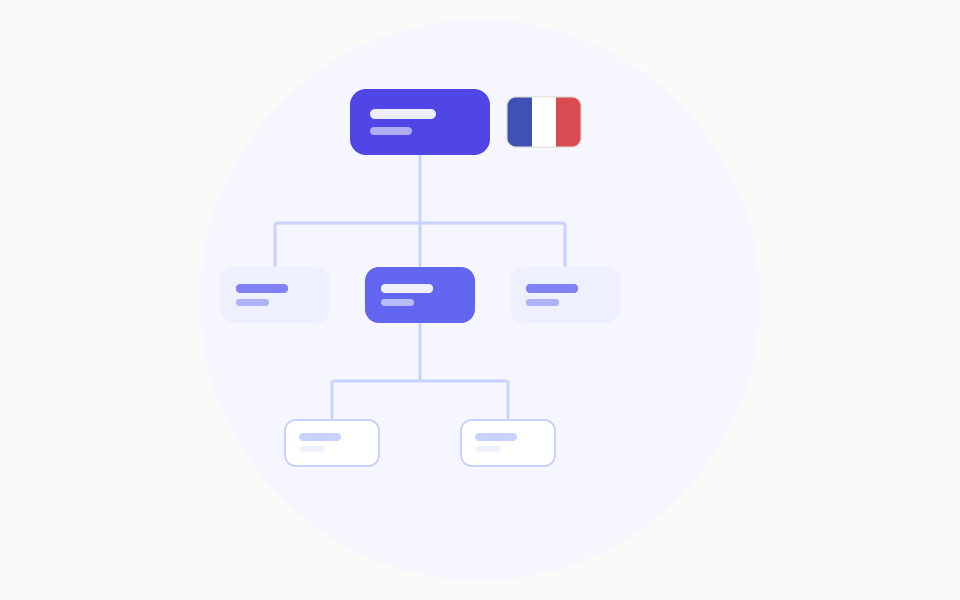
The setup works because the databases talk to each other. Logging one mistake ripples outward: the error appears in the Error Log, links to its rule in the Rule Library (enriching that rule's history), and often spawns a vocabulary entry if a word was involved. One action, three places updated, zero extra effort.
The home page then pulls the most urgent slice from each — today's reviews, this week's words — so I never go digging. The structure does the surfacing.
The actual daily routine
Here's the fifteen minutes, start to finish.
- Produce (5 min). I write three to five French sentences about my actual day. Real life, not textbook scenes.
- Check and log (5 min). I run them past a reference or AI, and every mistake becomes an Error Log row with the correction and rule. New useful words go to Vocabulary.
- Review (5 min). I open today's review queue — my oldest unmastered errors — and re-translate them from memory. Three correct recalls and an item is marked mastered and leaves the queue.
Then I tick today's row in the Study Log and close the laptop. That's the whole thing.
What I deliberately left out
The restraint is the feature. No spaced-repetition algorithm — a simple review counter does the job and I can actually understand it. No streak gamification — I quit apps precisely because I was chasing streaks instead of fluency. No elaborate analytics dashboard — the grouped Error Log tells me everything I need.
Every time I've been tempted to add a clever automation or a fifth database, I've asked whether it helps me produce or review French today. Usually it doesn't, so it doesn't get built.
If you want to copy it
Start with just the Error Log. Honestly, if you build nothing else, that one database — your mistakes, your corrections, grouped by topic — will do more for your French than any app feature. Add the Rule Library when you want your errors to connect to explanations, and the others only if you'll actually maintain them. The best French-learning system isn't the most powerful one. It's the one light enough that you'll still open it on a tired Tuesday.