Most "Notion setup tours" show you a gorgeous workspace with twelve databases, forty views, and emoji headers, and quietly omit that the owner stopped using it three weeks after building it. This is the opposite. It's the setup I actually open every day, which means it's smaller, plainer, and more useful than the showpiece versions. Here's what's in it and, more importantly, what I deliberately left out.
The principle: fewer databases, more relations
The biggest shift in my setup over time was deleting things. I went from a database per task type to four core databases that link to each other. A creator business doesn't need a CRM, a habit tracker, a reading list, and a meal planner bolted into the same workspace. It needs to answer four questions: what am I making, what am I publishing, what am I selling, and what's it earning. Four databases, one each.
The four databases
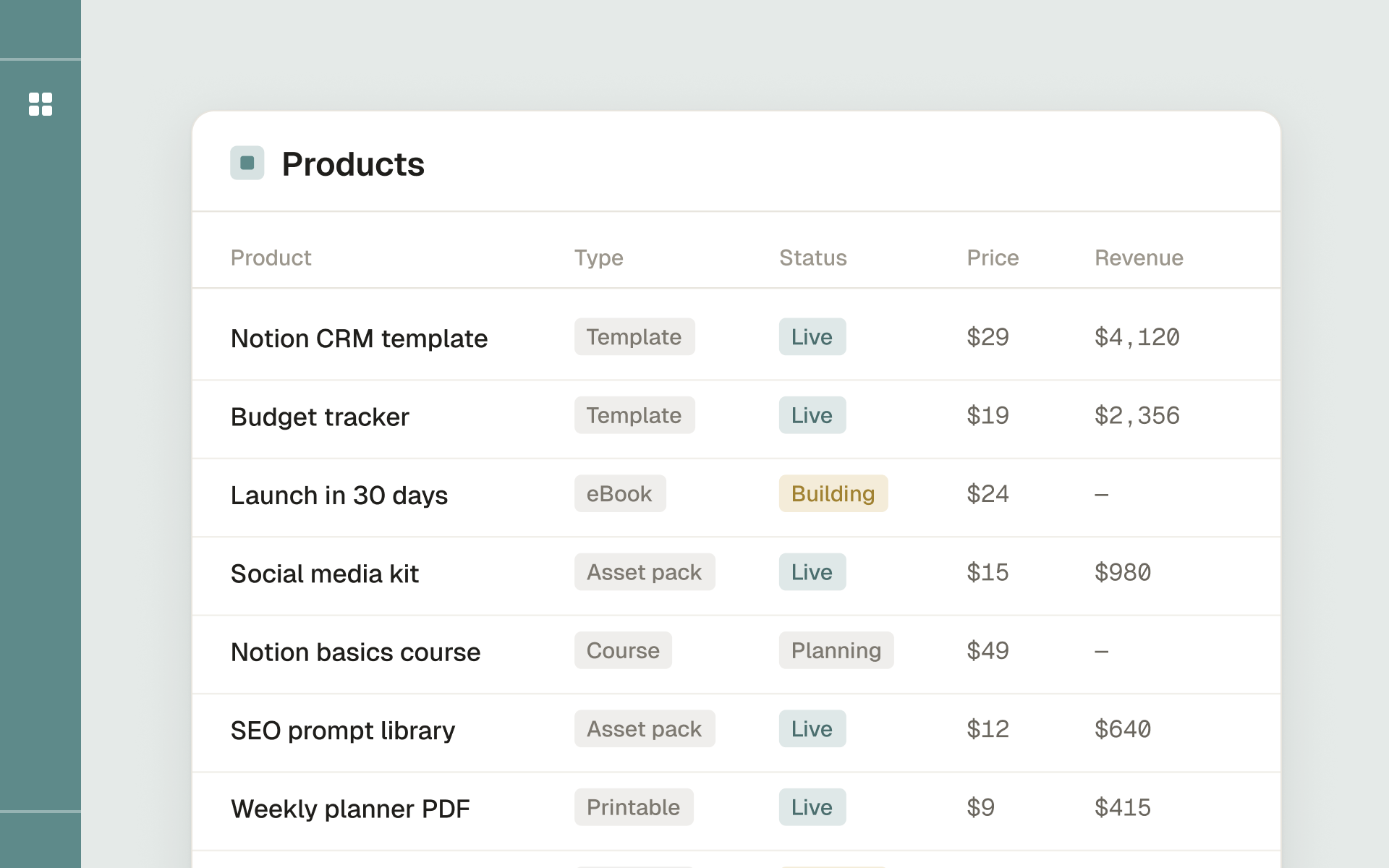
Products. The spine. One row per product, with status (idea, building, live), price, format, and links to everything else. This is the database every other one points back to.
Content. Every post, email, video, or article, with a status (idea, drafting, scheduled, published), a platform, a publish date, and a relation to the product it promotes. The relation matters: it forces me to notice when I'm making content that sells nothing, or sitting on a product I've stopped promoting.
Tasks. Deliberately simple. Name, status, due date, and a relation to either a product or a content piece. No priority matrix, no energy levels, no elaborate tagging. A task is a thing to do, attached to the thing it moves forward.
Revenue. Sales entries linked to products. A rollup on each product sums its lifetime earnings automatically. This is the only "numbers" database, and it stays minimal on purpose, the goal is a trustworthy total, not accounting.
That's it. Four databases. Everything else I tried, mood logs, elaborate goal hierarchies, a separate ideas vault, either folded into these or got cut because I never opened them.
The one view I actually open: Today
The dashboard is a single page with one view that earns its place: Today. It's a filtered Tasks view showing anything due today or overdue, grouped by status. That's the first thing I see each morning. Below it, two smaller linked views:
- Publishing this week, from the Content database, filtered to the next seven days, so nothing scheduled sneaks up on me.
- Live products, from Products, with the revenue rollup visible, so my catalog and its performance are always one glance away.
The entire daily ritual is: open the dashboard, look at Today, work the list, glance at the week. No setup, no navigation, no "where did I put that."
What I deliberately don't track
The restraint is the point, so here's what's not in the workspace:
- Habits and routines. They live in my head or a phone app. Cramming them into the work workspace just made it noisy.
- A separate ideas database. Product ideas live as draft rows in Products; content ideas live as draft rows in Content. Capturing ideas where they'll be acted on beats a vault I never revisit.
- Analytics dashboards. Real platform analytics live on the platforms. Re-keying them into Notion is busywork that feels productive and isn't.
- Anything with more than five properties. When a database grows a sixth property, that's usually a signal it's trying to be two databases, or that I've added a field I'll never filter on.
How it stays usable
Three habits keep the setup from rotting:
- Capture in the right database immediately. An idea goes straight into Products or Content as a draft, not a sticky note I'll "file later."
- Weekly five-minute review. Archive done tasks, update product statuses, log the week's sales. Five minutes, every Friday. Skipping it is how workspaces die.
- If I stop opening a view for two weeks, I delete it. A view I don't use isn't neutral, it's clutter that makes the useful views harder to find.
Why this beats the showpiece version
I built the showpiece version first, the one with the habit tracker, the reading list, the goal hierarchy, the dozen color-coded views. It photographed beautifully and I abandoned it in a month. The reason is simple: every database you add is a database you have to feed, and a workspace you can't keep fed becomes a workspace you stop trusting. Once you don't trust it, you check your tasks somewhere else, and the whole thing is dead.
The small version survives precisely because there's nothing in it I can neglect. Four databases, each answering a question I genuinely need answered every week, and one view I open by reflex. Maintenance is light enough that I never fall behind, which means the data stays current, which means I keep trusting it. That trust loop, not the feature count, is what makes a setup last. If you're building your own, optimize for the version you'll still be opening in three months, not the one that looks best in a screenshot today.
The takeaway
The setup that runs a creator business isn't the impressive one with the most databases. It's the small one you open every morning without thinking. Four linked databases, one Today view, and the discipline to delete anything you stopped using, that's the whole thing. The beauty of a Notion workspace isn't in how it looks in a screenshot; it's in whether you still open it a month later.
Plan, launch and track a digital product business from one Notion workspace.