
Automations survive when the knowledge about them lives outside anyone's head, in a few linked records: a workflow registry, a map of credentials (where they're stored, never the secrets themselves), a webhooks map, health checks, an error log and runbooks. Keep those six records current and a teammate can take over your n8n or Make setup, and an AI agent can read it without guessing.
Why "it works" is not the same as "it survives"
Most automation setups start with one workflow that syncs form leads to a CRM. A year later there are thirty, some in n8n, a few in Make, two calling an LLM. They all work, as long as the person who built them is around.
n8n and Make both keep execution history, so you can see what ran. What they don't record is the context around it: why a workflow exists, which business process depends on it, which key it uses and who can rotate that key, and what to do when it fails at 2 a.m. That context is what a new teammate needs, and it's also what an AI agent needs before it can help with anything more than reading logs.
Here's a quick test: could someone with access to your docs, and no call with you, answer these five questions?
- What runs, on what trigger, and who owns it?
- What breaks if the Stripe key is rotated tomorrow?
- Which webhook URL is registered at which provider?
- How would we notice if the nightly sync silently stopped running?
- Last time this error happened, what fixed it?
If any answer is "ask me," that's the gap to close.
The six records at a glance
| Record | Answers the question | Update it when |
|---|---|---|
| Workflow registry | What runs, why, and who owns it? | You build, change or retire a workflow |
| API & credentials registry | Which services do we depend on, and where do their keys live? | You add a service or rotate a key |
| Webhooks map | Which endpoints receive data from whom? | You register or change a webhook |
| Health checks | How do we notice silent failures? | You add a critical workflow |
| Error log | What broke, why, and how was it fixed? | Every incident |
| Runbooks | What exactly do we do when X happens? | After a fix, and whenever a step changes |
The records are useful on their own, but most of the value comes from linking them. An error row points to its workflow and its runbook; a workflow points to the APIs it uses. Once they're linked, "what breaks if this key expires?" becomes a filter, not an archaeology project.

1. The workflow registry
One row per workflow, whichever tool it runs in. These are the fields worth having:
| Field | Type | What to write |
|---|---|---|
| Name | Title | Verb + object: "Sync Stripe invoices to Sheets" |
| Status | Status | Draft / Testing / Active / Archived |
| Purpose | Text | "When X happens, this does Y so that Z" |
| Trigger type | Select | Webhook, Schedule, Manual, Polling, Event |
| Workflow ID + URL | Text, URL | The ID from the tool, plus a direct link |
| Owner | Person | One name. "The team" doesn't count as an owner |
| APIs used / connected systems | Multi-select or relation | What it touches |
| Business impact | Select | High / Medium / Low; this decides alert urgency |
| Health status, last run | Select, date | Updated by hand or by the workflow itself |
| Exported JSON | File | A snapshot of the workflow definition |
For n8n: the workflow ID is in the URL of the open workflow (n8n docs). You can download any workflow as JSON, but n8n warns that the export includes credential names and IDs, and that HTTP Request nodes imported from cURL may contain authentication headers (n8n docs). Check the file before you attach it anywhere.
For Make: export the scenario blueprint (a .json file). Blueprints don't include connection credentials, and whoever imports one creates their own connections (Make Help Center).
Node-level notes belong inside the canvas. n8n has sticky notes with Markdown for that (n8n docs). The registry is for system-level facts: why the workflow exists and what it connects to.
Its Workflow Tracker already has these fields, including Trigger Type, Workflow ID, Business Impact and a JSON file column

2. The API and credentials registry, without the secrets
This is where most setups go wrong. It's tempting to paste keys into the same Notion page that describes the service, and that's exactly what you shouldn't do. Notion pages get shared, duplicated and exported. They can also be read by any integration you connect: Notion's own MCP server, for example, lets an AI client read and update content you have access to (Notion docs). An agent reading your docs should never be one step away from a live key.
Secrets belong in systems built for them:
| Where | What goes there |
|---|---|
| Keys and OAuth tokens that workflows use. n8n encrypts credentials with an instance encryption key before saving them to its database (n8n docs); Make keeps them in connections. | |
Instance-level secrets for self-hosted setups, such as N8N_ENCRYPTION_KEY | |
| The master copy and rotation history. On Enterprise plans, n8n can load credentials from external stores such as 1Password (via Connect Server), AWS Secrets Manager, HashiCorp Vault or Infisical (n8n docs). | |
| The map: which service, which account, where the key lives, who can rotate it no secret values |
Fields for the registry: Name, Provider, Purpose, Status (Planned / Testing / Active / Deprecated), Key location ("n8n credential 'Stripe prod'", "1Password › Automations vault"), Documentation URL, Rate limits, Monthly cost, Last verified, and relations to Used by workflows, Health checks and Error logs. If you need to tell two keys apart, store a label or the last four characters. Never the key itself.
The "Last verified" date matters more than it looks. Tokens expire quietly, and a monthly five-minute check is cheaper than an outage.

3. The webhooks map
Webhooks fail in ways that don't show up in the workflow editor: the provider has the wrong URL, a secret was rotated on one side only, or the payload format changed. So record both ends.
Fields: Name, Source (Stripe, Typeform…), Webhook URL, Method, Authentication, Secret location (again, where it's stored, never the value), Workflow (relation), Status, Last received, and a Test payload, a sample JSON body you can replay when debugging.
One n8n detail is worth writing into this map. The Webhook node has a test URL, registered when you listen for a test event, and a production URL, registered only when the workflow is published. Its built-in authentication options are Basic auth, Header auth, JWT auth or None, and there's an IP allowlist (n8n docs). A test URL pasted into a provider's dashboard is a classic cause of "it worked yesterday."
4. Health checks: catching the failure that throws no error
Error handling only catches runs that fail. It won't tell you that a scheduled workflow never started, because the server restarted, the workflow got unpublished, or a polling trigger stopped matching. For that you need a check that expects a signal and alerts when the signal doesn't come.
The simplest version is a heartbeat, also called a dead man's switch. The last step of your workflow pings a URL, and the monitor alerts if the ping is late. Healthchecks.io works this way: each check has a period and a grace time, and it alerts when a ping is overdue. It's open source (BSD-3) and can be self-hosted (GitHub).

Here's an illustrative case. Say you run a three-person agency and a nightly workflow copies paid invoices into your accounting sheet. Give it a daily heartbeat with a one-hour grace time, alerting to Slack and email. If the sheet goes a day without updating, you hear about it that morning, not at month-end.
5. The error log: one place for every failure
In n8n: create one error workflow that starts with the Error Trigger node, then select it under Error workflow in each workflow's settings. It receives the execution ID and URL, the error message, the last node executed, and the workflow's ID and name. Two caveats from the docs: the Error Trigger doesn't run on manual executions, and you can use the Stop And Error node to force a failure on purpose (n8n docs).
In Make: add error handlers to the modules that can fail. The Help Center currently lists Skip, Retry, Resume, Commit and Rollback (Make Help Center). Turn on "Store incomplete executions" in scenario settings; it's off by default (Make Help Center).
Both tools can then write a row into Notion (n8n Notion node, Make Notion app). Fields: Name, Timestamp, Workflow, Error type (API timeout, Authentication failed, Rate limit, Data validation, Node error, Network error, Unknown), Severity, Error message, Root cause, Solution, Status (New → Investigating → In progress → Resolved / Ignored), Resolved by, Resolved at, Related API, Related webhook, Related runbooks.
Log incidents, not executions. If the same timeout fails fifty runs in an hour, that's one row.

6. Runbooks, and a template to copy
The error log records what happened. A runbook records what to do next time, in steps someone else can follow. Write it for a reader who is capable but has never seen this workflow.
RUNBOOK: [Symptom] in [Workflow name]
Category: Troubleshooting | Recovery | Maintenance | Deployment | Setup | How-to
Owner: [name]            Last tested: [date]

1. When to use this
   Symptoms, alert text, or error type that points here.
2. Impact
   What stops working for whom. How urgent (link Business impact).
3. Before you start
   Access you need. Where the credentials live (link the registry row,
   never paste the secret).
4. Diagnose
   Step, then expected result. Step, then expected result.
5. Fix
   Numbered steps with exact names: workflow ID, node name, setting.
6. Verify
   How to confirm it's fixed (which execution, which row, which ping).7. Stop and escalate if
   Conditions where a human decides (data deletion, payments, anything
   irreversible). Who to contact.the guardrail for agents8. Prevent next time
   Health check or validation added, and a link to it.
Section 7 is the one people skip, and it matters most once an agent is involved. It tells any reader, human or model, where their authority ends.
The loop: incident → fix → runbook
Documentation decays unless something forces it to update. Incidents are that something.

- Alert fires from a health check or error workflow.
- Log it: one row in the error log, linked to the workflow.
- Fix it, using an existing runbook if one is linked.
- Write the root cause and solution in the log row, then mark it resolved.
- Create or update the runbook and link it to the error row. A good rule: the second time an error type appears, a runbook is mandatory.
- Close the gap: add or tune a health check so you'd catch it earlier next time.
After a few cycles, most alerts link straight to a tested runbook, and handing something over stops meaning a two-hour call.
Making it readable for an AI agent
An agent can use these records through Notion's MCP server (Notion docs). n8n also has a built-in MCP server that lets AI tools search, run and build workflows on your instance (n8n docs). Put those together and "check why the invoice sync failed and follow the runbook" becomes a reasonable request. Whether the result is good depends on your docs:
- Consistent select values. "Active" means one thing everywhere. The old advice still holds: standardize status and naming before anything else.
- IDs, not nicknames. Workflow IDs, node names and exact setting labels.
- Relations, not prose. "See the Stripe row" as a link, not a sentence.
- Explicit stop conditions in every runbook (section 7 above).
- Scoped access. Connect the agent only to the pages it needs, read-only where you can, and keep a human approval step for anything destructive.
Where prompts fit
If your workflows call LLMs, the prompts are part of the workflow and need the same care. The AI Automation Hub doesn't include a prompt library, but adding one takes five minutes. Create a Prompts database with Name, Prompt text, Model, Version, Used in (relation to the workflow registry), Last changed and Known failure modes. When an LLM step starts misbehaving, the first question is "what changed?", and this table answers it.
A one-week setup plan
| Day | Do | Done when |
|---|---|---|
| 1 | List every workflow, including the archived ones you're unsure about | Each has a registry row with owner and status |
| 2 | Map services and key locations; move any secret out of docs | No secret value exists in Notion |
| 3 | Map webhooks and save a test payload for each | Every production URL has a row |
| 4 | Set up one error workflow (n8n) or error handlers (Make) that write to the log | A forced failure creates a row |
| 5 | Add heartbeats to your High-impact workflows | A skipped run triggers an alert |
| 6–7 | Write runbooks for your three most frequent errors | Each error type links to a runbook |
If automations run a small product business, this sits well next to your business operations workspace.
When Notion is the wrong tool
- You have three workflows. One page with a short list is enough. Don't build six databases for three rows.
- You need on-call paging. Notion isn't an alerting system. Alerts should come from your monitor or error workflow; Notion holds the record.
- You have high-volume logs. Stream n8n events to a logging tool (n8n docs) and log only incidents in Notion.
- Your workflows live in Git. n8n's source control (Business and Enterprise plans) versions workflows in a repository (n8n docs). Keep runbooks next to the code if your team works there.
For everyone in between (solo builders and small teams with ten to a hundred automations), a linked Notion workspace is the right level of structure.
More templates for this kind of work are in AI & Automation.
FAQ
How do I document an n8n workflow?
Use sticky notes on the canvas for node-level details. Keep a registry row for everything else: purpose, trigger, workflow ID and URL, owner, APIs used, business impact and an exported JSON snapshot (check it for credential names and headers first).
Should I store API keys in Notion?
No. Keep them in your automation tool's credential store, in environment variables or in a password manager or vault. In Notion, record only where each key lives, who can rotate it and when it was last verified.
Is there a Notion template for automation documentation?
Yes. The AI Automation Hub has seven linked databases for this: Workflow Tracker, API Services Registry, Webhooks, Health Checks, Error Logs, Runbooks and Process Library. It works on Notion's free plan.
Is this a Notion AI template? Do I need Notion AI?
No. It's a plain Notion workspace and doesn't need Notion AI. AI agents can still read it through Notion's MCP server if you connect one.
What should a runbook include?
When to use it, the impact, prerequisites, how to diagnose, how to fix, how to verify, when to stop and escalate, and how to prevent a repeat. Add an owner and a "last tested" date.
How do I get alerted when a workflow silently stops running?
Use a heartbeat check. The workflow's final step pings a monitor such as Healthchecks.io, which alerts you if the ping doesn't arrive within the period plus grace time.
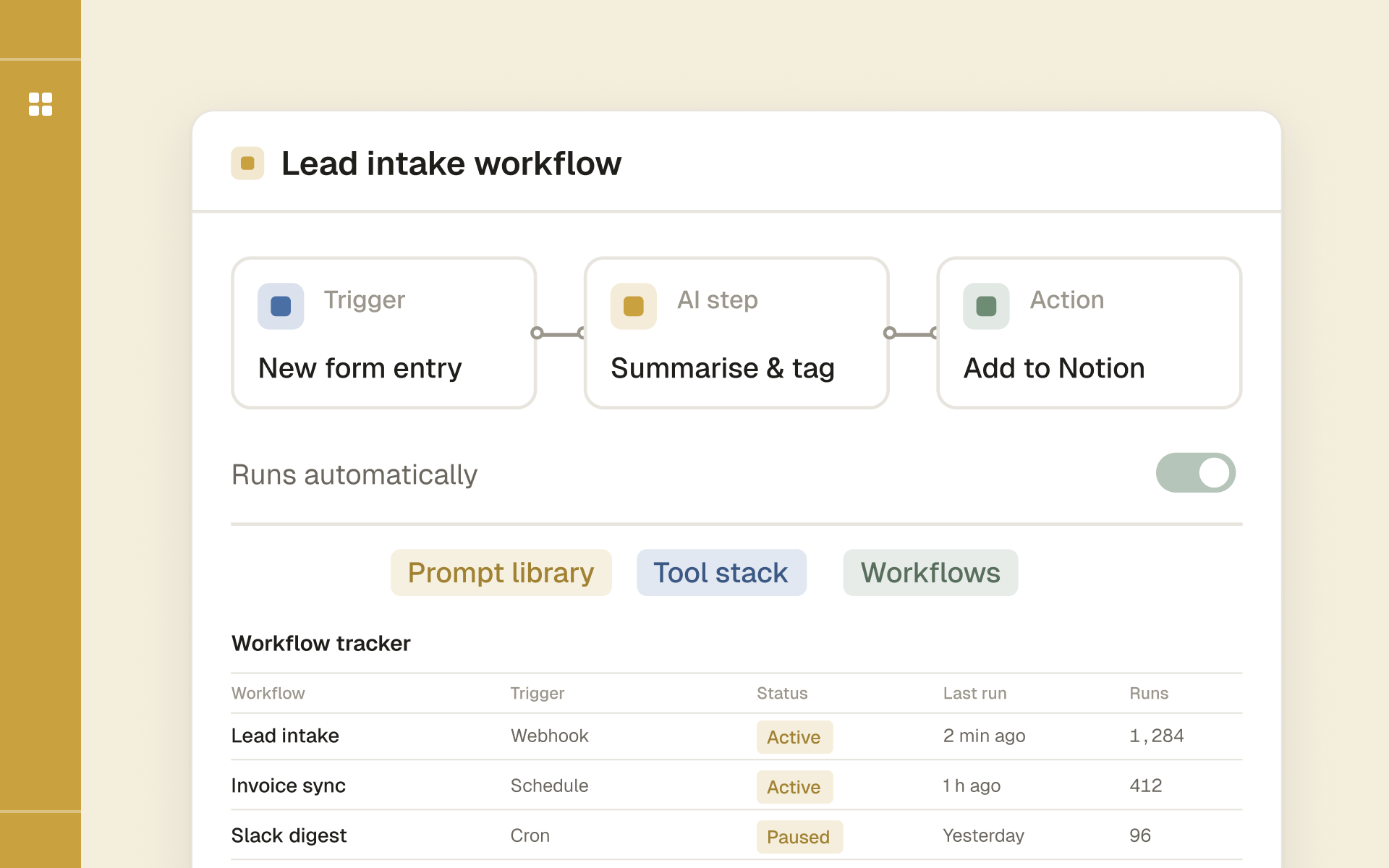
One workspace to track automation workflows, APIs, webhooks and runbooks while you learn n8n and AI agents.