
Notion works well as the place where a small agency runs client work. That covers campaigns, the content calendar, assets and approvals, a portal for each client, and the monthly report. The trick is structure: a few connected databases, with each client's work filtered from them, and not one page per client that you copy and update by hand.
What an agency actually needs to run client work
Once a client has signed, most of an agency's week is delivery. For a 1–10 person marketing, content or SMM agency, that usually means:
- knowing what each client has bought, who owns the account and when the contract renews;
- planning campaigns and the channels and placements behind them;
- producing content on a schedule, across several platforms;
- keeping brand assets in one place and getting creative approved;
- giving the client one place to see their work;
- reporting what happened each month.
All six are about organizing work around a client, and Notion is good at that. Databases hold the items, relations connect them to a client, and views show the same items as a calendar, a board or a table. Selling isn't on the list. That's a different job, covered briefly further down.
The data model: one hub, a few connected databases
A page per client with everything pasted inside works for three clients and falls apart at eight, because you can no longer see all the content due this week in one place. Put each kind of item in its own database and connect it to the client.

| Database | One row is… | Related to | Main views |
|---|---|---|---|
| Clients | a client account: contacts, account manager, contract dates, retainer, health notes | everything below | table, gallery |
| Campaigns | one campaign or launch | one client, channels, placements | board by status, timeline |
| Content | one post, article, email or video | campaign, channel, client | calendar, production board, table |
| Assets | a logo, palette, template or deliverable | client | board by approval status, gallery |
| Portals | one page per client | client | (the page itself is what the client sees) |
| Reports & metrics | one number for one period, e.g. “Instagram reach, March” | campaign, client | table grouped by client and month |
| Notes | a meeting or call summary | client, campaign | list |
Two rules keep this clean:
- Every campaign belongs to exactly one client. In Notion you can limit a relation to one page. Do that, so a campaign can't be attached to two clients by accident.
- Content relates to both a campaign and a client. It looks redundant, but it lets you filter a client's content even when a post isn't tied to any campaign, like an always-on post or a one-off announcement.
Clients here is a reference list of accounts you already work with, not a sales pipeline. Keep it to what delivery needs: who, what they've bought, who's responsible, when the contract renews, and how the relationship feels.
Build the content calendar from one content database
A Notion content calendar should be a view, not a page you maintain. Keep one Content database and give it three views:
- Calendar by publish date, for planning and spotting gaps;
- Production board grouped by status (Draft → In Progress → Review → Approved → Published), for the team's daily work;
- Table for bulk edits.
Add a Platform property (Instagram, LinkedIn, blog, newsletter…) and a Channel relation if you track channels separately. Filter any view by client when you're working on one account. Because the calendar, the board and the client's portal all read from the same rows, moving a post in one place moves it everywhere.

Campaigns, placements and UTM links
A campaign is where planning meets reporting. Give each one a status, a budget and its channels. Then list its placements: the specific ad, sponsored post or newsletter slot where it runs.
If you tag links with UTM parameters, keep them in their own database related to the campaign. A Notion formula can join the base URL and the UTM fields into the final tagged link, so nobody types utm_campaign by hand. When the numbers come in, they tie back to the right campaign.
Assets and approvals
An Assets database holds each client's logos, palettes, fonts, templates and finished deliverables. Store the file, or a link to where it lives (Figma, Drive, Canva), with a status like Draft → In Review → Needs Revision → Approved. A board grouped by status becomes your approvals queue: anything in “In Review” is waiting on someone.
This structure pre-built: clients, campaigns, content calendar, creative assets, UTM links, reporting and a client-portal page template, all related
Client portals: how sharing actually works in Notion
A Notion client portal is a normal page that you share with the client as a guest. Inside it you put what they need: this month's content, assets waiting for approval, and the latest report. Most often these are linked views of your databases, filtered to that client.
This is where people get caught out: a filter is not a permission. A linked view shows whatever the viewer already has access to in the source database, narrowed by the filter. If a guest has access to the whole Content database, they can remove the filter and see every client's posts. If they have no access at all, the view comes up empty. You have two clean options:
- Keep the client's material inside the portal page itself. Use child pages, files and a monthly report page. This is simple and safe, and works on any plan.
- Use page-level access rules on the source database. Notion can grant access to individual rows based on a Person property, so a client only reaches the rows they're tagged in. Check Notion's sharing and permissions docs for which plan and access level this needs.

Reports: be honest about what's manual
Notion doesn't pull numbers from Google Analytics, Meta Ads or LinkedIn on its own. A reports database is where you record each month's figures: one row per metric per period, related to the campaign and client. The report itself is a page in the client's portal where you write what happened and what's next. If a client needs live dashboards, keep those in the analytics tool and link to them from the report page.
Automations can take some of the routine off your plate, for example notifying the designer when an asset moves to “Needs Revision”. Notion's database automations are a paid-plan feature, though. On the Free plan you can only create Slack-notification automations (Notion help).
Turning finished work into a portfolio
Delivered campaigns are also your best sales material. The simplest Notion portfolio for an agency is a separate page with one short case-study subpage per project: the brief, what you did, two or three visuals, and a result the client has agreed you can share. Publish that page to the web through Share → Publish.
Keep it separate from your workspace. Publishing a page also publishes all of its subpages (Notion help), so never publish a page that sits above your client databases or portals.
What about a CRM?
The setup in this guide starts when a client has signed. It isn't a sales pipeline. If you also need to track leads and deals, you have two sensible routes:
- A dedicated CRM if sales takes up much of your week. HubSpot logs emails from a connected inbox onto CRM records on all plans, including free (HubSpot help). Pipedrive has a forecast view from its Growth plan (Pipedrive plans). Notion doesn't offer either out of the box.
- A simple CRM in Notion if your new business is a handful of referrals and renewals: contacts, a pipeline board and follow-up dates. Our Simple CRM for Notion is coming soon. Join the newsletter to hear when it's ready.
Plenty of agencies do both: deals live in the CRM until the contract is signed, then the client moves into Notion for delivery, with a link back to the CRM record.
A week in a three-person agency (an illustrative scenario)
This is a hypothetical example, not a customer story. Say you run a three-person social and content agency. You handle strategy and accounts, one person leads content, one designs, and a freelance ads specialist helps on paid campaigns. Seven clients are active.
- Monday: plan the week. You open the Campaigns board and the content calendar filtered to this week. One client's launch is two weeks out with no posts scheduled, so you add it to the team's priorities.
- Tuesday: kick off a campaign. A client confirms a spring launch. You create the campaign, relate it to the client and channels, add three placements, and generate a UTM link for each so the results tie back later.
- Wednesday: production. The content lead drafts posts in the Content database and fills a gap the calendar shows in week three. The designer uploads visuals to Assets as “In Review”.
- Thursday: client approvals. The client opens their portal, checks the week's posts in the calendar view, and reviews the visuals. If they have edit rights on those rows, they change the status themselves. If not, they leave a comment and the designer updates it.
- Friday: numbers and the report. The ads specialist enters the week's spend in the budget tracker. You record the key metrics in the reports database and add a paragraph to the client's monthly report page in the portal.

What's inside the Marketing Agency Framework
The Marketing Agency Framework is this structure, pre-built as an operating system for agency client work. On the public preview it's organized into four areas, each on its own page:
- Client Management: a Client Database (account manager, contacts, contract dates, retainer, billing frequency, client health score), the client's Products you market, and Client Portals.
- Strategy & Research: Market Research, Competitors, Target Audiences (companies and people), Marketing Strategy and Marketing Plans.
- Active Campaigns: Marketing Campaigns (with sub-campaigns), Creative Assets, Channels, Placements, UTM Links with a formula that builds the tagged URL, the Content & Social Media database with Content Calendar and Content Creation Board views, and a Contractors & Freelancers list.
- Performance & Analytics: a Marketing Budget Tracker, an Analytics & Reporting database for metrics by source and period, and SEO keyword tracking.


- It's not a sales CRM. There are no leads, deals or forecast. It starts once a client has signed.
- Reports are yours to write. The Reports page in each portal starts empty, and metrics and budget figures are entered by hand. There are no live analytics connectors.
- Portal privacy depends on how you share. Follow the two options above and test with a dummy guest.
It runs on Notion's Free plan. If you share portals, keep the 10-guest limit in mind. If you plan to let an AI assistant work in the workspace later, see making workflows AI-agent ready.

Setting it up: a first-week plan
| Day | Do this | Done when |
|---|---|---|
| 1 | Add every active client to Clients: account manager, contract dates, retainer | Every active client has an owner and a renewal date |
| 2 | Create the current campaigns, one client each; relate channels | No campaign is missing a client |
| 3 | Move the next four weeks of content into the Content database | The calendar has no “it's in a doc somewhere” items |
| 4 | Build one portal and open it as a test guest | You see only that client's material |
| 5 | Invite your first client; write their first report page | The client has opened the portal |
FAQ
What is an agency framework in Notion?
A set of connected databases and pages that runs an agency's client work: clients, campaigns, content, assets, portals and reports. Each piece of work is stored once and shown wherever it's needed.
Can I make a client portal in Notion?
Yes. Create a page per client, share it with them as a guest, and add their content, assets and reports. On the Free plan you can invite up to 10 guests.
Can clients see only their own work in a Notion portal?
Yes, if you set it up carefully. A filter on a linked view hides rows but doesn't restrict access. Keep the client's material inside their portal page, or use page-level access rules on the source databases, then test with a dummy guest.
How do I make a content calendar in Notion?
Create one Content database with a publish date, status, platform and client. Add a calendar view on the date and a board view by status. Don't keep the calendar as a separate page, or it will drift from the real work.
Can I use Notion as a CRM for my agency?
For a handful of referral leads, a simple Notion CRM can be enough. If you depend on email tracking, sequences or forecasts, use a dedicated CRM such as HubSpot or Pipedrive for sales, and keep delivery in Notion.
Does this work on Notion's free plan?
The databases, relations and calendar and board views do. The limits you'll notice are 10 guests for client portals, and automations, which on the Free plan are limited to Slack notifications.
Browse more Business & CRM templates.
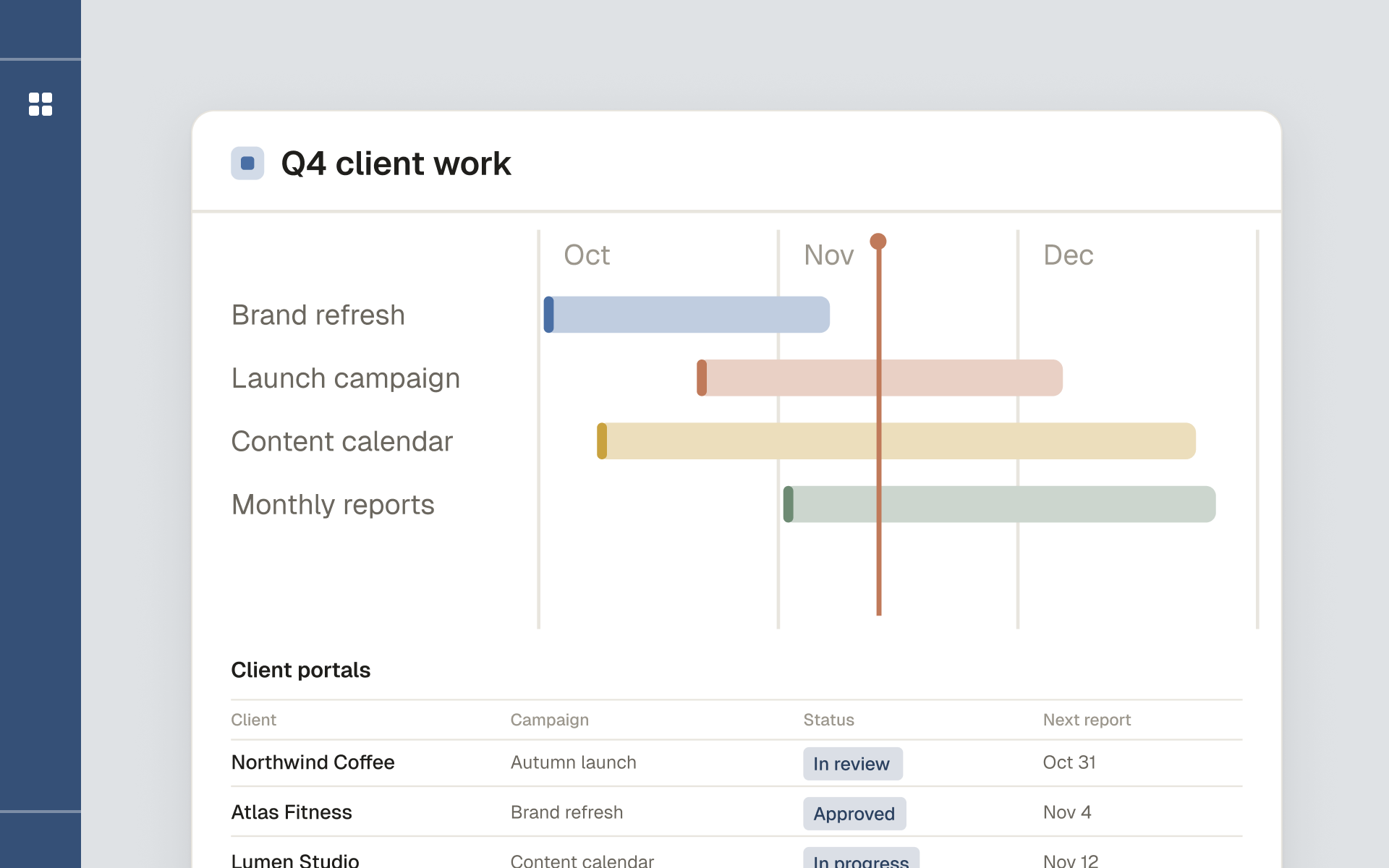
An operating system for a marketing agency: campaigns, client portals, assets and reporting in one workspace.