Last updated: 11 October 2026 · By Zoya K · Prices checked on 11 October 2026
Notion AI has no single price tag. What you pay depends on your plan, on a usage allowance that resets on a timer, and on Notion credits for Custom Agents and premium models. This guide walks through all three layers with numbers from Notion's own pricing page and help center, then compares the result with ChatGPT.
How much does Notion AI cost?
Full Notion AI comes with the Business plan, which costs $20 per member per month billed yearly or $24 per member per month billed monthly, and with Enterprise, which has custom pricing. Free and Plus include only a limited trial. Custom Agents and premium models are paid separately with Notion credits, $10 per 1,000 on monthly billing.
All prices below are in USD from notion.com/pricing with "Price in USD" selected, checked on 11 October 2026. Notion shows local currency by default, so visitors outside the US may see euros or another currency.
| Plan | Billed yearly (per member, per month) | Billed monthly (per member, per month) | Notion AI included |
|---|---|---|---|
| Free | $0 | $0 | Limited trial |
| Plus | $10 | $12 | Limited trial |
| Business | $20 | $24 | Yes: Notion Agent, AI Meeting Notes, Enterprise Search (beta), subject to a usage allowance |
| Enterprise | Custom pricing | Custom pricing | Yes, plus zero data retention with LLM providers |
| Custom Agents (add-on, Business and Enterprise) | $13per 1,000 annual credits | $10per 1,000 monthly credits | Freeto try, then paid with credits |
Notion advertises "Save up to 20% with yearly". On Business that works out to $240 per member per year instead of $288.

Is Notion AI free? What the Free and Plus plans include
No. On Free and Plus, Notion AI shows up as a "Limited Trial" of Notion Agent, meeting notes and Research mode. Once the trial is used up, you need Business or Enterprise to keep using these features. Notion does not publish how big the trial is, so treat it as a test drive, not a working budget.
Here is what the pricing page lists for AI on each plan:
| AI feature | Free | Plus | Business | Enterprise |
|---|---|---|---|---|
| Notion Agent (chat, generate, autofill, translate) | Limited trial | Limited trial | Included | Included |
| Meeting notes | Limited trial | Limited trial | Included | Included |
| Research mode (beta) | Limited trial | Limited trial | Included | Included |
| Enterprise Search | No | No | Included (beta) | Included |
| Custom Agents | No | No | Requires Notion credits | Requires Notion credits |
| Data retention with LLM providers | 30 days | 30 days | 30 days | Zero data retention |
Two details people miss. First, the pricing page does not offer a separate AI add-on for Free or Plus (checked 11 October 2026). If you want AI beyond the trial, the path is a Business seat. Second, Notion's help center says "You must be on Notion's Business or Enterprise Plan to use AI Meeting Notes", so the meeting-notes trial on lower plans is a preview, not an ongoing feature.
Students and educators get the Plus plan free with a one-member limit, according to the pricing page FAQ. That's a good deal for storage and version history, but AI stays trial-only because it's still Plus.
What's included in Business and Enterprise?
Business adds the full Notion AI set on top of Plus: Notion Agent, AI Meeting Notes and Enterprise Search (beta), along with SAML SSO, granular database permissions and private teamspaces. Enterprise adds zero data retention with LLM providers, SCIM provisioning, an audit log and advanced security controls. On both plans, Notion AI runs within a usage allowance.
The pricing page describes Notion Agent on Business as completing multi-step tasks "using context from Notion, your connected apps, and the web". Business also adds verify any page, domain verification and premium connections. Enterprise adds a customer success manager, DLP and SIEM connections, and domain management.
For most small teams the real choice is Business or nothing. Enterprise matters when legal or security teams need zero data retention or an audit trail.
What is the Notion AI usage allowance?
The usage allowance is the amount of Notion AI each member can use on Business and Enterprise before some features pause. Notion measures it in a six-hour window and a monthly window. When you hit a limit, those features stop until the window resets, unless an admin lets members keep going by spending Notion credits.
According to Notion's help article on the allowance, it applies to:
- your personal Notion Agent, including chat
- page translation
It does not apply to:
- AI Meeting Notes, which "has its own 10-hour daily cap"
- Custom Agents and Workers, which always use Notion credits
- premium models, which spend credits every time, even inside Notion Agent
If you run out within the six-hour window, access comes back automatically within six hours. If you use the full monthly allowance, it returns at the start of your next billing cycle. You can see both in Settings → Notion AI → Usage, and Notion warns you in the Agent chat as you get close.
Notion doesn't publish the allowance as a number, so watch the usage screen during your first month.

What are Notion credits and what do Custom Agents cost?
Notion credits are a shared workspace balance, sold as an add-on for Business and Enterprise, that pays for Custom Agents, Workers, premium AI models and Notion AI use beyond the allowance. Monthly credits cost $10 per 1,000 and reset each month. Annual credits cost $13 per 1,000 and expire when your subscription renews.
The two options from Notion's credits help page:
| Monthly credits | Annual credits | |
|---|---|---|
| Price | $10per 1,000 credits | $13per 1,000 credits |
| Who can buy | Workspaces on monthly billing | Workspaces on annual Business or Enterprise billing |
| Payment | Billed monthly alongside your subscription | Paid upfront in one payment |
| Unused credits | Reset each month, don't carry over | Expire at renewal, don't carry over |
| Changes | Raise or lower the amount each month | Add more anytime, lower or cancel at renewal |
Annual credits are not a discount. You pay 30% more per credit for the freedom to spend them in any month of the year, which suits usage that spikes around launches or quarter-end.
For the full picture of what agents can do, see our guide to Notion Custom Agents.
Custom Agent cost calculator
Notion publishes estimated per-run costs for five typical agents on its credits for Custom Agents page, with the caveat that actual usage varies. The formula is simple: cost per run × runs per month. The table multiplies Notion's ranges by three run volumes, at the monthly credit rate.
| Agent type (Notion's example) | Cost per run | 30 runs/month | 60 runs/month | 200 runs/month |
|---|---|---|---|---|
| Q&A (answers policy and how-to questions in Slack) | ~$0.03–$0.11 | $0.90–$3.30 | $1.80–$6.60 | $6.00–$22.00 |
| Task routing (creates and assigns tasks from requests) | ~$0.05–$0.15 | $1.50–$4.50 | $3.00–$9.00 | $10.00–$30.00 |
| Status update (drafts a weekly status from notes and projects) | ~$0.08–$0.18 | $2.40–$5.40 | $4.80–$10.80 | $16.00–$36.00 |
| Mail triage (sorts email, drafts replies, creates tasks) | ~$0.04–$0.10 | $1.20–$3.00 | $2.40–$6.00 | $8.00–$20.00 |
| Daily brief (digest from calendar and email) | ~$0.10–$0.30 | $3.00–$9.00 | $6.00–$18.00 | $20.00–$60.00 |
The 60-run status update figure matches Notion's own example: "about $4.80–$10.80 per month". Since credits come in blocks of 1,000 ($10 on monthly billing), round your result up to the next block when budgeting.
If you downgrade to Free or Plus, "all existing Custom Agents are switched off, but not deleted", per the same help page. They resume if you upgrade back.
How much will Notion AI cost my team? Three worked examples
Multiply seats by the Business price, then add credits only if you run Custom Agents, Workers or premium models. A solo user pays $240 a year on Business billed yearly, or $24 a month billed monthly. A five-person team pays $1,200 a year on yearly billing before any credits.
1. Solo consultant, no agents. One Business seat. Yearly billing: $20 × 12 = $240 per year. Monthly billing: $24 × 12 = $288 per year. Credits: none needed, since Notion Agent runs inside the usage allowance and meeting notes have their own daily cap.
2. Five-person team, no agents. Yearly billing: 5 × $240 = $1,200 per year. Monthly billing: 5 × $24 = $120 per month, or $1,440 per year.
3. Five-person team plus one status-update agent at 60 runs a month. Using Notion's estimate of $4.80–$10.80 per month for this agent:
- On monthly billing: $120 for seats plus 1,000–2,000 monthly credits ($10–$20), so about $130–$140 per month.
- On yearly billing, the team buys annual credits at $13 per 1,000. A year of runs is roughly 5,760–12,960 credits, so 6,000–13,000 credits cost $78–$169. Total: about $1,278–$1,369 per year.
The agent adds roughly 6–17% to the seat bill here. Agents that run hundreds of times a month change the math far more, so check the 200-run column above before you switch on a daily-brief agent for every team member.
Notion AI vs ChatGPT: which should you pay for?
Notion AI works inside your workspace: it reads your pages, databases and connected apps with your permissions and can edit them. ChatGPT is a general assistant that lives outside Notion. If your team already keeps its work in Notion, Notion AI saves copy-paste. If you mostly need a general chatbot, ChatGPT may be enough.
ChatGPT's individual plans, from chatgpt.com/pricing (USD, checked 11 October 2026): Free at $0, Go at $8 per month, Plus at $20 per month, and Pro from $100 per month. OpenAI's FAQ on that page says Go, Plus and Business are offered as monthly plans, with annual plans for Business and Enterprise. Go "may include ads".
| Notion AI (Business) | ChatGPT (Plus) | |
|---|---|---|
| Price (USD, checked 11 Oct 2026) | $20per member per month billed yearly, $24 billed monthly | $20per month, billed monthly |
| What else you get | The full Notion workspace: databases, sites, forms, permissions | A general assistant only |
| Workspace context | Reads your pages, databases and connected apps with your permissions | Only what you paste, upload or connect |
| Editing Notion databases | Native: autofill, create and update pages | Possible through Notion MCP |
| Meeting notes | AI Meeting Notes, 10-hour daily cap | Not a Notion feature |
| Usage limits | Six-hour and monthly allowance; credits for agents and premium models | Plan limits set by OpenAI |
| Training on your data | "Will not use your data to train our models unless you opt in" | Governed by OpenAI's own policies |
The seat prices look similar, but a Business seat is a full workspace with AI included, while ChatGPT Plus is the assistant alone. For a team that would pay for Notion Business anyway, Notion AI costs nothing extra. For a solo writer who keeps everything in Google Docs, ChatGPT is the simpler buy.
The training quote comes from the Notion pricing FAQ, which adds that Notion has contracts prohibiting its AI subprocessors from training on customer data.
The third option: use your own Claude or ChatGPT with Notion MCP
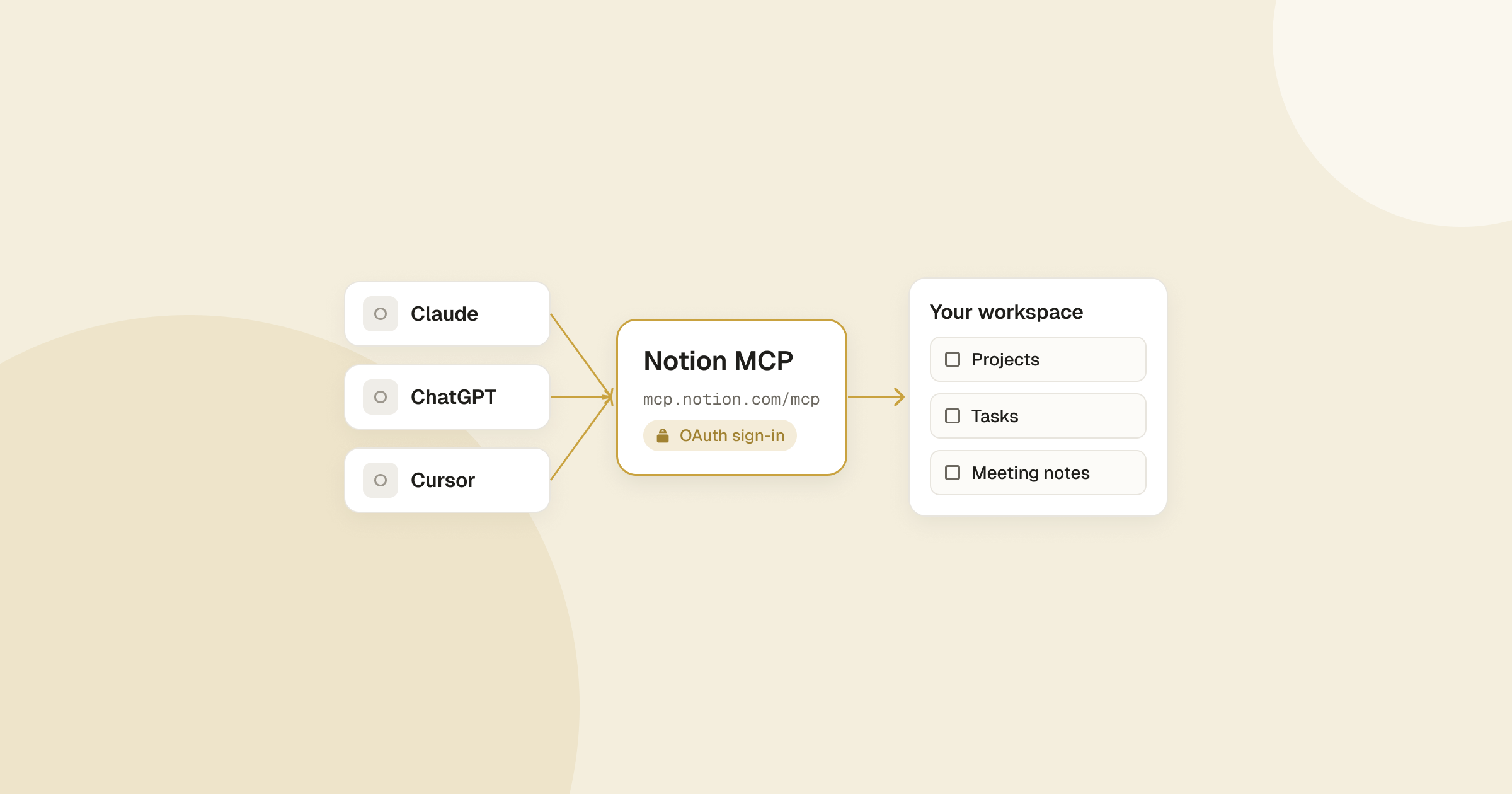
On any Notion plan, an AI app that supports MCP, such as Claude or ChatGPT, can connect to Notion MCP and search, read and edit your pages with your permissions. Some features still need Business with Notion AI, including AI search across connected apps and unlimited SQL queries over databases.
Notion's MCP tools page spells out the split. Without AI search on your plan, the search tool falls back to keyword search. Querying a database with SQL is unlimited on Business and Enterprise with Notion AI, while other plans share a per-workspace usage limit. Basic page reading and editing works everywhere.
This path is enough when:
- you already pay for Claude or ChatGPT and want it to read or update a few Notion pages
- you work alone or in a small team on Free or Plus
- you don't need meeting notes, workspace-wide AI search or scheduled agents
Picture a freelance designer on Notion Plus who keeps 40 client briefs in one database and already pays for ChatGPT Plus. Connecting it through MCP lets the assistant pull a brief and draft a reply without a second subscription. Our Notion MCP setup guide covers the connection step by step.
Is Notion AI worth it?
Notion AI is worth paying for if your team already keeps its knowledge in Notion and needs meeting notes, workspace search or Custom Agents, because Business bundles them with the seat. It's weaker value if you use AI mainly for one-off writing outside Notion, where a general assistant or the MCP route costs less.
I work on Notion Business, so AI comes with my seat. Your answer depends on how you work.
Pay for Business with Notion AI if:
- your team writes and searches docs in Notion every day
- you record meetings and want notes linked to projects
- you want agents that triage requests or write status updates on a schedule
- you need SAML SSO or granular permissions anyway
Skip it, or use MCP instead, if:
- you're solo and Plus already covers your storage and sharing
- most of your AI use is drafting emails or posts outside Notion
- you already pay for Claude or ChatGPT and only touch Notion occasionally
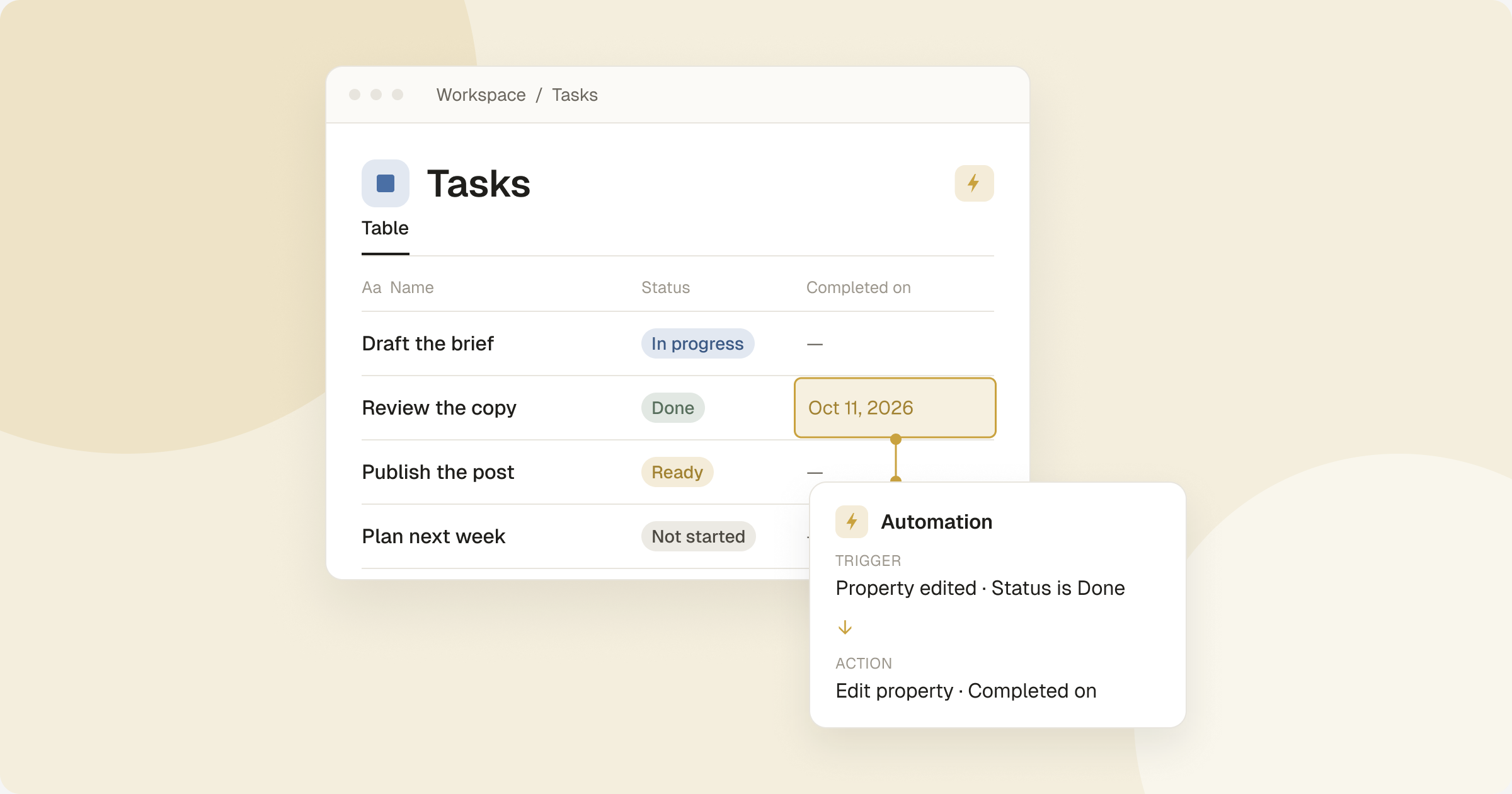
If agents interest you, start with Notion automations, which cover many routine jobs without credits, and read how to make workflows AI-agent ready before you build one. For API-based setups, see our guide to the Notion API key.
FAQ
Is Notion AI totally free?
No. Free and Plus include a "Limited Trial" of Notion Agent, meeting notes and Research mode. Ongoing use requires Business ($20 per member per month billed yearly, $24 billed monthly) or Enterprise.
How many times can I use AI in Notion for free?
Notion doesn't publish a number for the trial on Free and Plus. On Business and Enterprise, use is limited by an allowance measured over a six-hour window and a monthly window.
How much does a Custom Agent cost?
Custom Agents are free to try, then paid with Notion credits at $10 per 1,000 on monthly billing. Notion estimates about $0.03–$0.30 per run depending on the agent type, so a status-update agent running 60 times a month costs about $4.80–$10.80.
Are annual Notion credits cheaper?
No. Annual credits cost $13 per 1,000 versus $10 for monthly credits. You pay extra for the flexibility to use them at any point in your subscription year.
Does AI Meeting Notes cost extra?
No. It's included on Business and Enterprise and doesn't draw from the usage allowance, but it has its own 10-hour daily cap.
Does Notion train AI on my data?
Notion says it "will not use your data to train our models unless you opt in", and its AI subprocessors are contractually barred from training on customer data. Enterprise adds zero data retention with LLM providers.
What happens to Custom Agents if I downgrade?
If you move to Free or Plus, all Custom Agents are switched off but not deleted. You can view their settings and turn them back on by upgrading to Business or Enterprise.
What is Notion AI?
Notion AI is the set of AI features built into Notion: Notion Agent for chat, writing, autofill and translation, AI Meeting Notes, Enterprise Search, Research mode and Custom Agents. It works with your workspace content and permissions.
Is Notion AI worth it?
It's worth it for teams already working in Notion that need meeting notes, workspace search or agents, since Business bundles AI with the seat. Solo users who mostly write outside Notion can get more value from a general assistant connected through Notion MCP.
How does Notion AI compare to ChatGPT?
Notion AI works inside your workspace and can read and edit your pages and databases. ChatGPT Plus ($20 per month, billed monthly) is a general assistant outside Notion that can reach your pages only through a connection like Notion MCP.