
Last updated: 11 October 2026 · By Zoya K · Prices checked on 11 October 2026
Notion now has two kinds of agents, and they solve different problems. Notion Agent works when you ask it to. Custom Agents work on their own, on a schedule or when something happens in Notion or Slack. This guide covers what each one does, what they cost per run, where they stop, and how to set up your first Custom Agent.
What is Notion Agent?
Notion Agent is the AI teammate built into Notion. You chat with it, and it creates and edits pages and databases using context from your workspace and connected apps. It has exactly your permissions, so it can't see what you can't see. Business and Enterprise plans include it; Free and Plus get a limited trial.
Notion's own definition is short: "Notion Agent is your AI teammate inside Notion. It can help you create and edit pages and databases using context from your workspace and connected apps" (Notion Help). The permission rule is just as plain: "Notion Agent has the same permissions you do."
It runs multi-step tasks ("draft Q1 OKRs with measurable KRs and clear owners"), builds pages, databases and views, reads PDFs and CSVs, acts in Slack and Gmail once connected, and helps with your calendar.
Instructions set its tone and priorities; skills are reusable prompts. On the pricing page, Notion Agent shows as "Limited Trial" on Free and Plus and as included on Business and Enterprise. Standard models in your plan don't use credits; premium models do, and an admin has to enable them.
What are Custom Agents?
Custom Agents are shared AI agents that run on their own, on a schedule or on events in Notion and Slack. They follow instructions you write and can only touch the pages, databases and apps you grant them. They need a Business or Enterprise plan, and every run spends Notion credits.
Notion puts the difference in one line: "Notion Agent is on-demand, whereas Custom Agents are autonomous" (Notion Help). Notion announced Custom Agents on 24 February 2026, and the help center is clear on the plan: "You must be on Notion's Business or Enterprise Plan."
| Notion Agent | Custom Agent | |
|---|---|---|
| How it starts | You ask it in chat | Schedule, Notion event or Slack event (you can also chat with it) |
| Whose agent | Personal, works as you | Shared with the team, with its own settings |
| What it can access | Everything you can access | Only the pages, databases and apps you grant |
| Plans | Business, Enterprise (limited trial on Free and Plus) | Business, Enterprise |
| Cost | Included allowance; premium models use credits | Every run uses Notion credits |
People get one of three levels: Full Access, Can Edit, or Can View and Interact (run and chat only).
Agent, skill, or automation: which one do you need?
Use instructions for preferences that should always apply, a skill for a repeatable prompt you start yourself, Notion Agent for one-off or multi-step help, and a Custom Agent for work that repeats on a schedule or trigger. If the rule is fixed and needs no judgement, a plain database automation or button is cheaper and more predictable.
| Tool | Who starts it | Needs judgement? | Costs credits? | Use it for |
|---|---|---|---|---|
| Instructions | Always on | n/a | No | Tone, format, priorities Notion Agent should always follow |
| Skill | You | Yes | Only with premium models | A prompt you run again and again (meeting recap, weekly review) |
| Notion Agent | You | Yes | Only with premium models | One-off or multi-step tasks: build a database, analyze a CSV, draft a plan |
| Custom Agent | Schedule or event | Yes | Yes, every run | Recurring work: status updates, triage, routing, answering team questions |
| Database automation or button | Event or click | No | No | Fixed rules: set a property, add a page, send a notification |
A simple test: if the rule is "when X, always do Y," use an automation. If it's "when X, read this and decide," use an agent. For the no-AI side, see Notion database automations and buttons. For skills, see skills as a prompt library.
What can trigger a Custom Agent?
There are three kinds of triggers. A recurring schedule runs every day, week, month or year at a set time and timezone. Notion events start a run when a page is added, a property changes or a comment appears. Slack events start a run on a message, an emoji reaction or a mention. Filters keep runs to what matters.
| Trigger type | Options (from Notion Help) | Example use |
|---|---|---|
| Schedule | Every day, week, month or year, at a specific time with timezone ("every day at midnight PST") | Monday morning brief, Friday status update |
| Notion: comment | A comment is added to a page | Answer questions left on a spec page |
| Notion: database page added | A page is added to a database | Route a new request to the right owner |
| Notion: property updated | A property is updated in a database | Write a handoff note when Status moves to Review |
| Notion: page removed | A page is removed from a database | Log what was archived and why |
| Notion: meeting notes | An AI Meeting Note is finished | Turn action items into tasks |
| Slack: message | A message posted to a channel (can filter by keywords or phrases) | Answer repeat questions in a help channel |
| Slack: reaction | An emoji reaction added to a message | React with an emoji to turn a message into a task |
| Slack: mention | The Custom Agent mentioned in a message | Ask the agent directly in a thread |
Source: Notion Help, Custom Agents. Use the Slack keyword filter: it "reduce[s] noise in high-traffic channels" and, since every run costs credits, the bill.
How to build your first Custom Agent (step by step)
Open Agents in the sidebar, select +, and start from AI chat, a template or a blank agent. Write clear instructions covering the job, inputs and output. Add triggers, grant only the pages and apps the agent needs, choose a model (Auto is the default), then test it in chat and check the Activity log.
- Open Agents in the sidebar, select +, and pick "Create with AI chat," "Create from a template" or "Create from scratch."
- Write the instructions (below).
- Add triggers.
- Grant only the pages, databases and apps it needs. Custom Agents "never have full workspace access by default."
- Choose a model; Auto is the recommended default.
- Test it in chat on a real case before switching on the trigger.
- After the first runs, read the Activity log and credit usage.

Write instructions that work
Write them like a brief for a new colleague: the job in one sentence, the steps, where to look, and what the output looks like. Keep each agent to one job; two narrow agents are easier to debug than one big one.
Here is an illustration of a spec for a weekly status agent. It's an example to copy and adapt, not a report of results.
EXAMPLE SPEC (illustration)
Agent: Weekly status update
Job: Every Friday, summarize what changed in active projects this week.
Trigger: Schedule, every week, Friday 16:00, Europe/Paris
Inputs (read access only): Projects database; Tasks database
Steps:
  1. Find projects with Status = Active.
  2. For each, list tasks completed or moved to Blocked since Monday.
  3. Flag any project with no updates this week.
Output (write access): one new page in "Status updates" titled "Week of <date>"
  - 3 bullet summary at the top
  - one section per project: done / blocked / next
Tone: short, factual, no praise.
Model: Auto
Don't: edit tasks, message people, or touch other databases.
To adapt the example, start from a task that already repeats on a fixed rhythm, such as a Friday summary or a Monday digest of new requests. A schedule trigger is the easiest to test: each run happens at a known time, and you can compare the output with what actually changed that week. Event triggers (a page added, a property updated, a Slack message) suit work that should happen right away, but they can fire far more often, which shows up in the cost.
Give access: pages, web, Slack and MCP
Access is where an agent becomes safe or risky. "Agents act only on the pages, databases, and external apps you explicitly grant access to," so grant read access to sources and write access only to the one place the output goes.
For other tools, Custom Agents can use MCP connections. Notion offers pre-configured connections to services such as Linear, Figma, GitHub, HubSpot and Stripe, and admins can allow custom MCP servers (Notion Help, MCP connections). Three details to know before you connect anything:
- "MCP connections are available on Business and Enterprise plans only."
- "Each MCP connection is unique to a single Custom Agent and uses the credentials of the person who authenticated it." Two agents that both need GitHub need two connections.
- Write tools "require confirmation before the agent executes the action" by default.
Agents can also hand work to other Custom Agents; each hand-off "uses Notion credits."
Test, read the Activity log, roll back with version history
Once it's live, the Activity log shows every run, its trigger and its actions. If an instructions edit makes things worse, version history restores an earlier configuration.

How much do Custom Agents cost?
Custom Agents are "free to try, then $10 per 1,000 monthly Notion credits." Each run uses credits based on how much the agent reads, how many steps it takes, how often it runs and which model it uses. Notion's own estimates put typical agents at roughly $0.03 to $0.30 per run.
The credit price is from the US Notion pricing page , and the per-run ranges below are from Notion Help on credits. Both were checked in US dollars on 11 October 2026.
| Agent type | Estimated cost per run | Runs per month at $10 (1,000 credits), rough range |
|---|---|---|
| Q&A agent | ~$0.03–$0.11 | about 90 to 330 |
| Task routing agent | ~$0.05–$0.15 | about 65 to 200 |
| Status update agent | ~$0.08–$0.18 | about 55 to 125 |
| Mail triage agent | ~$0.04–$0.10 | about 100 to 250 |
| Daily brief agent | ~$0.10–$0.30 | about 33 to 100 |
The last column is my arithmetic, not a Notion figure. A weekly status agent runs four or five times a month and costs under a dollar; a Slack agent firing on every message in a busy channel can run hundreds of times. Watch frequency.
What makes a run expensive, per Notion:
- How much the agent reads. Pointing it at a whole wiki costs more than one database.
- How many steps and tool calls it takes, including hand-offs to other agents.
- How often it runs.
- Model choice. Premium models "spend credits at the model's own price."
Admins buy credits in the product or through their account team; after each run, admins and the creator see exact usage in the credits dashboard. For the full picture of Notion AI plans and credits, see Notion AI pricing and credits.

To estimate a monthly bill before you build, multiply runs per month by the per-run range. Notion's own example: a status update agent that runs 60 times a month comes to about $4.80–$10.80. If an agent costs more than expected, start with what it reads, the first cost driver on Notion's list: narrowing its access from a whole teamspace to one database is the simplest fix.
What Notion's agents can't do (yet)
Notion Agent can't create database automations, formulas, rollups or buttons. It can't edit comments, share pages or change permissions, start AI Meeting Notes or manage workspace settings. Custom Agents pause when the workspace runs out of credits and are switched off, not deleted, if the workspace drops below Business.
From Notion Help, Notion Agent can't:
- "Create new database automations, database templates, database page layouts, or advanced properties like formulas, rollups, or buttons."
- Edit comments.
- "Share pages or change page permission levels."
- "Start AI Meeting Notes," or create reminders.
- Read embeds other than PDFs.
- Change workspace settings.
- Schedule calendar events on mobile.
For Custom Agents, two limits matter most. Out of credits: "Custom Agents will pause automatically until credits reset or an admin adds more credits." After a downgrade: "all existing Custom Agents are switched off, but not deleted" (Notion Help on credits).
Can agents reach other apps? Slack, Gmail, and MCP
Yes. Notion Agent can search and act in Slack and Gmail once you connect them, and it can use MCP-connected tools. Custom Agents can use MCP servers on Business and Enterprise, each connection signed in with its creator's credentials. External assistants such as Claude can also work with Notion from the outside through Notion MCP.
In Slack, Notion Agent searches, reads, replies and reacts as you; in Gmail it searches, drafts, sends, archives and labels.
Custom Agents reach Slack through triggers and replies, and other services through MCP. Among the pre-configured MCP connections is n8n, which matters if you already run automations there: the agent can hand a decision to an n8n workflow instead of you rebuilding it in Notion. I run a self-hosted n8n, and I use Claude with Notion via MCP every day. That's the opposite direction: an outside assistant reading and writing Notion pages. For how that works, see Notion MCP.
How do you keep your agents documented?
An agent is a workflow with instructions, triggers, access and a cost. Write down what each one does, who owns it, what it can read and write, what triggers it, what it costs per month and how to pause it. Keep that record next to your other automations, so a broken run is easy to trace.
The Activity log shows what an agent did, not why it exists, who asked for it or which n8n workflow it hands off to. That context goes missing first.
A minimal record per agent:
- Name, one-sentence job, owner
- Triggers and filters
- Read and write access, listed separately
- MCP connections and whose credentials they use
- Model, runs per month, expected cost
- How to pause it, and what breaks if you do
For more on writing workflows so an agent can follow them, see documenting workflows for AI agents.
A place to log each Custom Agent's purpose, owner, triggers, access and cost next to your other workflows, webhooks and runbooks.
FAQ
What are Notion agents?
Notion has two kinds. Notion Agent is an on-demand AI teammate that creates and edits pages and databases when you ask. Custom Agents are shared agents that run on their own on schedules or Notion and Slack events.
Is Notion AI Agent free?
Not fully. Notion's pricing page lists Notion Agent as a "Limited Trial" on Free and Plus; it's included on Business and Enterprise. Custom Agents are free to try, then use paid Notion credits.
How much does a Notion Custom Agent cost?
Credits cost $10 per 1,000 per month (Notion pricing page, checked 11 October 2026). Notion estimates typical runs at about $0.03 to $0.30 depending on the agent type, how much it reads and how often it runs.
What is the Notion agent in Slack?
A Custom Agent can be triggered by a Slack message (optionally filtered by keywords), an emoji reaction or a mention, and can reply in Slack. Notion Agent can also search, read and post in Slack as you once connected.
Which AI models can Notion agents use?
Custom Agents support Claude, GPT, Gemini and Grok models, with Auto as the recommended default. Premium models spend more credits and must be enabled by a workspace admin.
Can a Custom Agent hand work to another agent?
Yes. A Custom Agent can pass work to other Custom Agents, and each hand-off uses Notion credits, so chains of agents cost more.
What happens if Notion credits run out?
Custom Agents pause automatically until credits reset or an admin adds more. Nothing is deleted.
Can I embed a Custom Agent in a Notion page?
Yes. Copy the agent's link, paste it into a page and choose embed to get its chat on that page.
Do I need Business to use Custom Agents?
Yes. Notion Help says you must be on the Business or Enterprise plan. If a workspace downgrades, existing Custom Agents are switched off but not deleted.
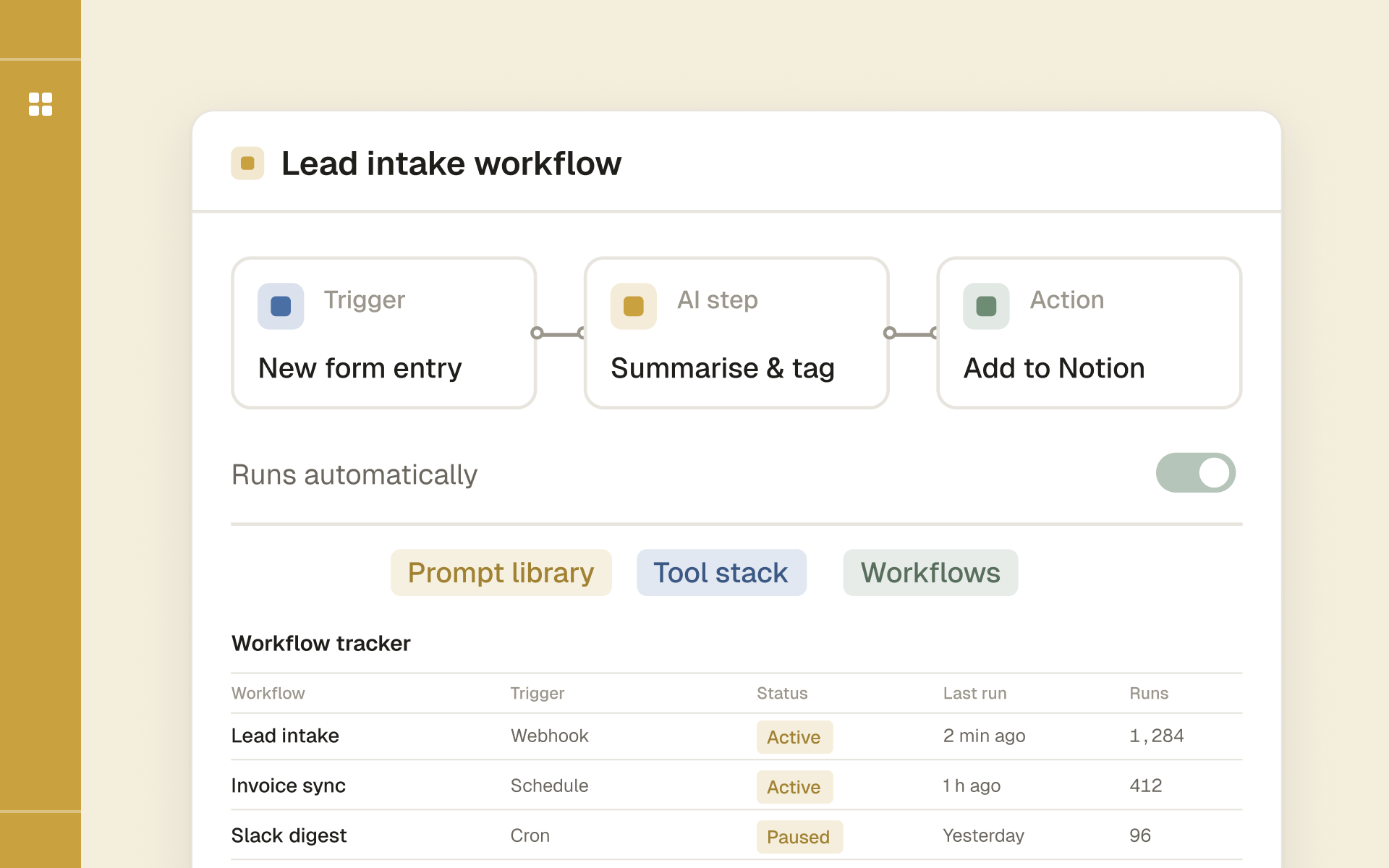
One workspace to track automation workflows, APIs, webhooks and runbooks while you learn n8n and AI agents.