
Last updated: 11 October 2026 · By Zoya K · Prices checked on 11 October 2026
Spaced repetition is the most reliable way to keep new words from slipping away, and Anki is the tool most people reach for. But a flashcard app is only half of a language. This guide explains how spaced repetition works, how to set up Anki's FSRS scheduler with the settings the manual actually recommends, and when a Notion review system is the better home for grammar and context.
What is spaced repetition?
Spaced repetition is a study method where you review material at increasing intervals, just before you are likely to forget it. Each successful recall pushes the next review further out, so your time goes to the items that are still weak. The spacing effect behind it was first described by Hermann Ebbinghaus in 1885.
The idea is old. The Anki manual notes that "the spacing effect was reported in 1885 by a German psychologist called Hermann Ebbinghaus," and that in 1972 Sebastian Leitner "popularized a method of spaced repetition with paper flashcards." Software just does the bookkeeping that Leitner's boxes did by hand.
Two ingredients make it work:
- Active recall. The manual defines it as "being asked a question and trying to remember the answer." You look at the front of a card and produce the answer before you flip it. Rereading a word list doesn't count.
- Expanding intervals. The manual's own example: "you may see a question for the first time today, then 3 days later, 15 days later, 45 days later, and so on." Get it wrong and the interval shrinks again.

For a language learner this is a good fit for vocabulary. You need thousands of words, each one only needs a few seconds per review, and the scheduler decides which ones you see today.
Does Anki use spaced repetition? (SM-2 and FSRS)
Yes. Anki is a spaced repetition app at its core. Its original scheduler is based on the SuperMemo 2 (SM-2) algorithm, and since Anki 23.10 you can switch to FSRS, a newer scheduler that learns from your own review history. After each card you grade yourself with one of four buttons: Again, Hard, Good or Easy.
According to the Anki FAQ, the first algorithm is "based on the SuperMemo 2 algorithm," and "as of Anki 23.10, Anki has two available algorithms." The FAQ describes the newer one this way: "FSRS aims to learn your memory patterns and schedule reviews more efficiently than SM-2."
The grading is simpler than in older SuperMemo versions. Anki "uses 4 choices for answering review cards, not 6," and "there is only one fail choice, not 3." Again means you forgot. Hard, Good and Easy are all passes with different confidence.
| Scheduler | How it sets intervals | What you configure | Good for |
|---|---|---|---|
| SM-2 (legacy default) | Fixed rules: ease factor and interval multipliers | Learning steps, starting ease, interval modifier | People who already have a tuned setup and don't want to change it |
| FSRS (since 23.10) | Machine learning model trained on your review history | Desired retention, plus optimized parameters | New learners and anyone who wants fewer settings to babysit |
The deck options manual calls FSRS "an alternative to Anki's legacy SuperMemo 2 (SM-2) algorithm" and explains the benefit: "By more accurately determining how much information you are likely to forget, it can help you remember more material in the same amount of time."
How do you set up Anki for language learning?
Turn on FSRS at the bottom of the deck options page, keep your learning steps shorter than one day, and leave desired retention at the default 90% unless your daily reviews feel too heavy. Once you have a few hundred reviews, click Optimize. Keep new cards per day modest, because every new card adds future reviews.
Here is the setup in order, with the manual's wording where it matters.
- Install the right app. Anki desktop is free for Windows, Mac and Linux. AnkiDroid for Android is free. AnkiMobile for iPhone and iPad costs $24.99 on the US App Store. Syncing through AnkiWeb is free. Details are on apps.ankiweb.net.
- Enable FSRS. The manual says: "Enable FSRS under the 'FSRS' section, at the bottom of the deck options page. FSRS can only be enabled globally." So one switch covers all your decks.
- Check your learning steps. "Ensure that all your learning and re-learning steps are shorter than 1d and can be completed on the same day." Steps like 10m or 1h are fine. Anything measured in days should go, because FSRS takes over from there.
- Leave desired retention at 90% to start. "The default value of 90% will schedule cards so you have a 90% chance of remembering them when they come up for review again." The manual calls it "a good balance of retention and workload."
- Optimize later, not on day one. FSRS learns from data. When you have history, "click the 'Optimize' button under the 'FSRS parameters' field." The manual's health check flags a "low number of reviews (less than a few hundred)" as a common problem, so give it a few weeks first.
- Set a sane new-card limit. More on this below.

What makes a good language flashcard?
The scheduler can only space what you put on the card. A few habits help language decks in particular:
- One fact per card. One word, one meaning. If a word has two senses you care about, make two cards.
- Word plus a sentence. Put the target word inside a short example sentence on the front or back. You remember how the word behaves, not just what it means.
- Add audio when you can. Pronunciation is part of knowing a word, and many decks and dictionaries include recordings.
- Recognize first, produce later. A card that shows the foreign word is easier than one that asks you to produce it. Add the production direction once the word feels familiar.
How many new cards a day? Is 200 too much?
There is no official number, and the right answer depends on how much time you have. What the manual does say is that new cards are not free: "Studying new cards will temporarily increase the number of reviews you need to do a day, as newly-learned material needs to be repeated a number of times before the delay between repetitions can increase appreciably."
So 200 cards a day can mean very different things. Two hundred reviews of mature cards might take a short session. Two hundred new cards a day will snowball into a review pile within a week or two. Retention also moves the load: "Higher retention leads to shorter intervals and more reviews per day."
A rule of thumb that works for most learners: start with a small number of new cards, watch your review count for two weeks, and only raise the limit if reviews stay comfortable. If you are drowning, lower new cards first, before you touch desired retention.
Can you do spaced repetition in Notion?
Notion has no built-in review scheduler, but a database can act as one. Store a "Last reviewed" date and an interval in days, calculate the next review with Notion's dateAdd() formula, and filter a view to items that are due. It works best for grammar rules and context notes rather than thousands of single words.
Notion's formula docs describe the building block plainly: "dateAdd() adds time to the date," with units that include days and weeks. They also document now(), which "returns the current date and time." Those two are enough.
The mini recipe:
- Last reviewed (Date): the day you last went over this rule.
- Interval (Number): how many days until the next review, for example 1, 3, 7, 15, 30.
- Next review (Formula):
dateAdd(prop("Last reviewed"), prop("Interval"), "days")- Due (Formula, returns a checkbox):
dateAdd(prop("Last reviewed"), prop("Interval"), "days") <= now()- View "Due today": a table or list filtered to Due is checked, sorted by Next review.
When you review a rule, update Last reviewed to that day and raise the interval if you got it right. If you missed it, drop the interval back to 1. That manual step is your "Good" and "Again" buttons.

A typical session takes ten to fifteen minutes. Open the "Due today" view, read each rule's title, and try to produce two example sentences of your own before opening the page. If both are right, double the interval (1, 2, 4, 8 days and so on). If either is wrong, set it back to 1 and add the mistake to the page, so the next review starts from it.
This is deliberately low-tech. You are the algorithm, so you won't get FSRS-style precision. In exchange, each "card" can be a full page: the rule, five example sentences, the exceptions, links to related tenses, and your own mistakes. For a step-by-step build with a grammar database, see The Notion Grammar System: Set Up Spaced Repetition in 30 Minutes.
A seven-section grammar framework (alphabet to punctuation) that works on the Notion free plan; add the three review properties above and it becomes your grammar review queue.
Anki vs Notion: which should you use for language learning?
Use Anki for high-volume vocabulary: it schedules every card automatically, works offline, and is free on desktop and Android. Use Notion for grammar and context: rules, example sentences and links between topics, reviewed on a simpler schedule you control. Many learners get the best results by using both, each for what it does well.
| Anki | Notion | |
|---|---|---|
| Cost | Desktop, AnkiDroid and AnkiWeb sync free; AnkiMobile $24.99 (US App Store) | Freeplan is enough for a review database |
| Scheduler | Automatic: SM-2 or FSRS | Manual: you set the interval, a formula does the date math |
| Unit of review | Small card, a few seconds each | Full page: rule, examples, notes |
| Volume it handles well | Thousands of cards | Dozens to a few hundred items |
| Setup effort | Install, enable FSRS, start adding cards | Build a database, two formulas and a view (or start from a template) |
| Best for | Single words, short phrases, audio, spelling | Grammar rules, conjugation patterns, context sentences, your own mistakes |
| Weak spot | Cards lose context; long explanations are awkward | No real algorithm; reviews depend on your discipline |
A quick way to decide:
- If the thing you need to remember fits on an index card and you will have hundreds of them, then put it in Anki.
- If it needs a paragraph and three examples to make sense, then put it in Notion.
- If you keep missing the same word because of a grammar point, then make the word card in Anki and link the rule in Notion.
- If you only have ten minutes a day, then do your Anki reviews first. They are the part that compounds.
We are building a Vocabulary template for Notion, coming soon. Join the waitlist above and we'll tell you when it's ready.
What spaced repetition mistakes do language learners make?
The common mistakes are cards with no context, adding more new cards than you can review, cramming several facts onto one card, and treating flashcards as the whole method. Words you only meet in a deck rarely become words you can use, so spaced repetition works best next to plenty of reading and listening.
- Bare word pairs. "perro = dog" is fine for a beginner, but most words need a sentence to stick and to be usable.
- Too many new cards. The manual is clear that new cards raise your daily reviews for a while. Most "Anki burnout" starts here.
- Several facts on one card. If a card asks for gender, plural and meaning at once, you will fail it for one part and relearn all three.
- Raising desired retention to feel safer. Higher retention means "shorter intervals and more reviews per day." Stay at 90% unless you have a reason.
- Skipping input. Spaced repetition keeps words alive, but you meet them for real in reading and listening. See our guide to comprehensible input.
- Putting grammar in a flashcard app. A rule with exceptions and examples is a page, not a card. Keep it in a grammar map and review it there.
- No place to collect new words. A vocabulary notebook gives you a staging area so only the words worth learning become cards.
If you are planning a longer stretch, how long it takes to learn a language and the best way to learn Spanish put daily reviews into a realistic timeline.
FAQ
Does Anki do spaced repetition?
Yes. Anki schedules every card with a spaced repetition algorithm: the original one is based on SuperMemo 2, and since Anki 23.10 you can switch to FSRS.
What algorithm does Anki use?
By default, a scheduler "based on the SuperMemo 2 algorithm." Since version 23.10 you can enable FSRS, which "aims to learn your memory patterns and schedule reviews more efficiently than SM-2."
Is Anki free?
Anki desktop, AnkiDroid for Android and AnkiWeb sync are free. AnkiMobile for iPhone and iPad costs $24.99 on the US App Store (checked 11 October 2026).
What is desired retention in Anki?
It is the chance you want to have of remembering a card when it comes up for review. The default is 90%; higher values mean shorter intervals and more reviews per day.
Is 200 Anki cards a day too much?
It depends on what the 200 are: reviews or new cards. Two hundred reviews can be a manageable session, but adding many new cards a day multiplies your future reviews, so raise new cards slowly and watch your daily count.
Can Notion do spaced repetition?
Not natively, but you can build it: a Last reviewed date, an Interval number, a dateAdd() formula for the next review, and a view filtered to items that are due. It suits grammar rules and context notes better than large word lists.
What is the 2/3/5/7 revision rule?
It is a fixed revision schedule popular with students, where you revisit material on a preset series of days. There is no official source for it. Unlike Anki's scheduler, it doesn't adapt to how well you actually remember each item.
Should I use Anki or Notion for vocabulary?
For large word lists, Anki, because it schedules automatically and handles thousands of cards. Use Notion for the grammar and example sentences around those words.
The grammar half of the Anki plus Notion split: a seven-section framework for any language, ready for review properties.
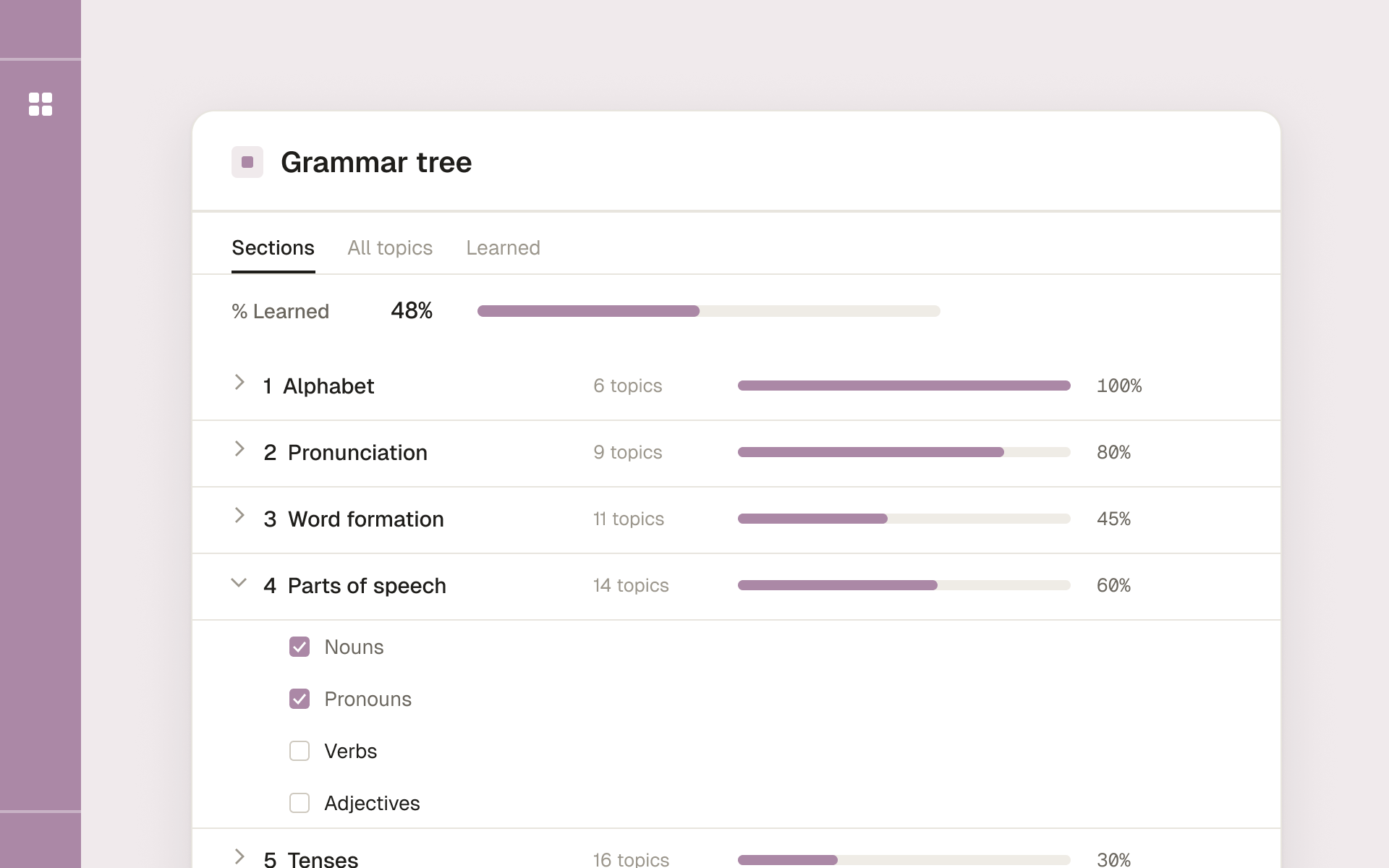
One grammar framework for any language, organized into seven sections from alphabet to punctuation.