Last updated: 11 October 2026 · By Zoya K · Prices checked on 11 October 2026
Most Notion second brains fail the same way: weeks of building databases, then nothing gets used. This guide keeps the structure small (four databases based on PARA) and adds the AI layer last, with a clear note on what each Notion plan actually gives you.
What is an AI second brain?
A second brain is a system for storing and retrieving what you know outside your head. Tiago Forte's PARA method sorts it into Projects, Areas, Resources and Archives. An AI second brain adds an assistant that can search, summarize and update those notes for you, so finding things works even when your filing is imperfect.
- Second brain: a personal knowledge system where you capture notes, sources and ideas so you can find and reuse them later.
- PARA: an organizing method by Tiago Forte at Forte Labs that sorts everything into four categories by how actionable it is.
- AI second brain: a second brain that an AI assistant can read and write, so it can answer questions about your notes, tidy your inbox and draft your reviews.
Forte Labs defines the four PARA categories like this:
| Category | Forte Labs definition | Notion database |
|---|---|---|
| Projects | "short-term efforts (in your work or personal life) that you take on with a certain goal in mind" | Projects |
| Areas | "important parts of your work and life that require ongoing attention" | Areas |
| Resources | "a range of topics you're interested in and learning about" | Notes / Resources |
| Archives | "anything from the previous three categories that is no longer active, but you might want to save for future reference" | A status value, not a separate database |

Why does Notion work for a second brain, and where doesn't it?
Notion combines pages and relational databases, so projects, areas, tasks and notes can link to each other, and its built-in AI and MCP access can read that same structure. The weak spots are real: it's easy to over-build, and capture speed and offline use depend heavily on how you set things up.
What works in Notion's favor:
- Relations. A note points to its project, the project to its area. That's the backbone of PARA.
- Views. One Tasks database can show "This week" and "Waiting" without copying anything.
- One place for AI to read. Notion Agent and assistants connected through MCP work on the same databases.
Where it struggles:
- Over-building. Reddit threads on this topic keep returning to the same point: building the system felt productive, but nothing shipped.
- Capture friction. Opening the right database on a phone takes more taps than a notes app. A single inbox helps.
- Offline. If you often work offline, test your setup first.
The "don't over-build" checklist
Use this before you add anything new:
- Start with four databases. Add a fifth only when you've hit the same problem three times.
- No property without a view or filter that uses it.
- One inbox. Everything new lands there first.
- Archive with a status value. Don't move pages around.
- Build for this month's projects, not an imagined future system.
- Add AI after two weeks of real use, when you know what you actually search for.
How do you set up the four core databases (PARA in Notion)?
Create four databases: Areas, Projects, Tasks and Notes/Resources. Link Projects to Areas, Tasks to Projects, and Notes to Projects or Areas. Archive by changing a status value instead of moving pages. That gives you PARA with a clean structure that both you and an AI assistant can follow.
Here is a minimal schema. Every property in it has a job.
| Database | Key properties | Relations |
|---|---|---|
| Areas | Name (title), Status: Active / Archived, Summary (text) | Projects, Notes |
| Projects | Name (title), Status: Not started / Active / Done / Archived, Due date, Summary (text) | Area, Tasks, Notes |
| Tasks | Name (title), Status: Inbox / Next / Waiting / Done, Due date, Next action (checkbox) | Project |
| Notes / Resources | Name (title), Type: Note / Article / Book / Idea, Status: Inbox / Processed / Archived, Source URL, Key points (text), Created time | Project, Area |
Steps:
- Create a page called "Second Brain" with the four databases inside it.
- Add the relations from the table, shown on both databases so links work both ways.
- Add the Status properties with exactly these values. AI will filter by them.
- In Notes, create an "Inbox" view filtered to Status = Inbox. Every capture goes there.
- In Projects, create an "Active" view grouped by Area.
- Add ten real items from this week. They show you which properties you don't need.

How do you add the AI layer, and what works on your plan?
On Business or Enterprise, Notion Agent can search and summarize your second brain and build databases, skills store your reusable prompts, and Custom Agents can run a weekly review on a schedule. On Free or Plus, Notion's own agent is a limited trial, but you can connect Claude or ChatGPT through Notion MCP.
Notion Agent can "create and edit pages and databases using context from your workspace and connected apps," and it "has the same permissions you do." Skills "are reusable instructions that teach Notion AI how to complete a specific type of work," written as ordinary Notion pages. Custom Agents require the Business or Enterprise plan and can run on a schedule (daily, weekly, monthly or yearly) or on events such as a new page or a property change.
| What you want | Free / Plus | Business / Enterprise |
|---|---|---|
| Ask questions about your notes, summarize, edit pages | Notion Agent: "Limited Trial"; or Claude / ChatGPT via Notion MCP | Notion Agent, included |
| Reusable prompts | A prompt page you copy from | Skills |
| Weekly review that runs by itself | Not available in Notion; run the prompt manually | Custom Agent on a weekly schedule, paid in Notion credits |
| Meeting notes into your second brain | AI Meeting Notes: "Limited Trial" | AI Meeting Notes, included |
| Use an outside assistant | Notion MCP; search falls back to keyword search without Notion AI | Notion MCP with AI search and fuller query limits |
Sources: Notion pricing for the "Limited Trial" rows, Notion MCP supported tools for the MCP limits. For plan costs, see Notion AI pricing.
The MCP route on Free and Plus
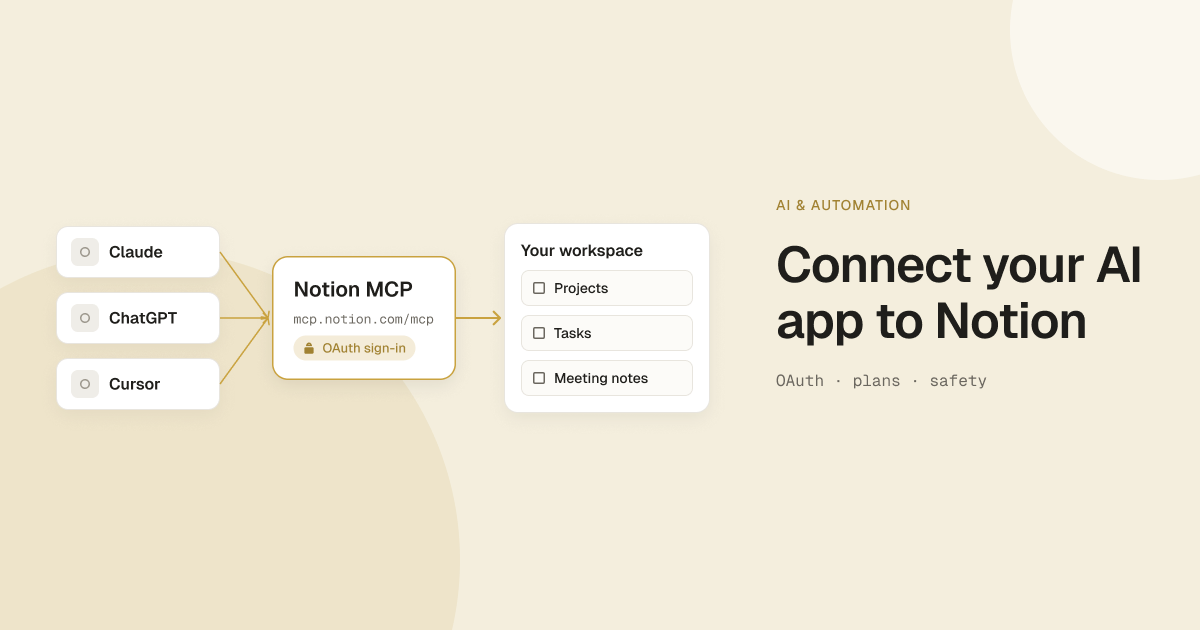
Notion MCP lets an AI app read and write your workspace. Notion names Claude, ChatGPT Pro and Cursor, and says "any AI app that supports the Model Context Protocol can connect to Notion." There are limits outside Business: according to the developer docs, when a plan doesn't include AI search, notion-search runs a keyword search instead, and database queries on other plans "share a per-workspace usage limit." For a four-database second brain, keyword search plus well-named pages goes a long way. The full setup is in connect Claude or ChatGPT with Notion MCP.
What are the three AI routines that make a second brain useful?
Three routines do most of the work: tidy the inbox into the right projects and areas, summarize saved resources into a short "Key points" field, and run a weekly review. Save each prompt as a skill (Business) or as a prompt page (any plan) so you never retype it and the results stay consistent.
The prompts below are examples. Adjust the database names to match yours. To keep them organized, see build a prompt library in Notion.
Capture cleanup: inbox to the right project or area
Run it weekly in Notion Agent, or in Claude or ChatGPT connected through MCP.
In my "Second Brain" page, open the Notes database and list every item
with Status = Inbox. For each item:
1. Suggest one Project (Status = Active) or one Area it belongs to.
2. Suggest a Type: Note, Article, Book or Idea.
3. If it looks like a task, say so and suggest the Project.
Show the suggestions as a table first. Only update the pages after I reply "apply".
Keep the "only after I reply" line: the assistant acts with your permissions, so let it propose before it edits.
Summarize resources into a "Key points" property
For each page in Notes where Type = Article and Key points is empty:
read the page and its Source URL content if it is saved on the page,
then write 3 bullet points (max 25 words each) into the Key points property.
Use plain language. Don't invent facts that aren't on the page.
Mark Status = Processed when done.
Weekly review: open projects, stale tasks, next actions
This is the routine that keeps PARA alive. Run it manually on any plan:
Weekly review for my Second Brain:
1. List Projects with Status = Active. For each, show open Tasks and the
   date of the last edited task.
2. Flag Tasks with Status = Next that haven't changed in 14 days.
3. Flag Projects with no Tasks in Next.
4. Suggest one next action per flagged project.
5. List Projects that look finished and ask me before moving them to Done or Archived.
Output as a short report with headings. Don't change anything yet.
On Business or Enterprise, the same instructions can live in a Custom Agent set to run every Friday afternoon. Notion's credits help page estimates a status-update type agent at about $0.08 to $0.18 per run. Credits cost $10 per 1,000 monthly Notion credits, per the pricing page, and Custom Agents are "free to try." More examples are in our guide to Notion Custom Agents.

How do you make your second brain readable for AI?
AI finds what is clearly named and structured. Use descriptive page titles, consistent status values and one summary field per note, and keep private material out of pages an assistant can reach. Notion's MCP documentation says MCP tools act with your full permissions, so anything you can open, the assistant can open too.
Notion's own advice for MCP is direct: "Use descriptive page titles: AI apps rely on clear page titles to understand your content structure" (Notion MCP help). The same page warns that "MCP tools act with your full Notion permissions—they can access everything you can access."
The AI-readable checklist:
- Descriptive titles. "Q4 pricing page rewrite" beats "Notes 3".
- Fixed status values. An assistant filtering for "Done" will miss "Finished".
- One summary field. Summary on Projects and Areas, Key points on Notes.
- Relations filled in. A note linked to its project turns up in project-level questions. An orphan note doesn't.
- Dates on things. Created time lets you ask "what did I save last month about X".
- Private pages elsewhere. Keep passwords, health records and contracts out of the workspace your assistant connects to.
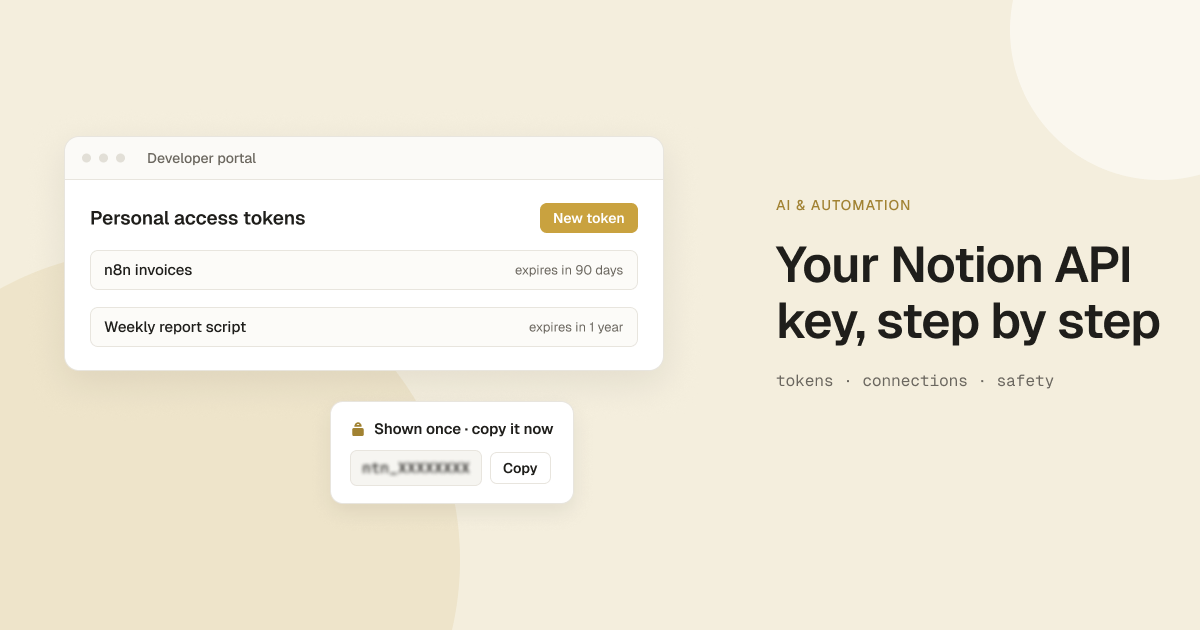
- No secrets on pages. Never paste a real API key or token into a chat or a shared page. If an example needs one, use a fake placeholder such as
ntn_XXXXXXXX.

Should you use a template or build your own second brain?
Use a template if you want a finished system today and are happy to learn someone else's structure. Build your own if you want to understand every relation the AI will read. Either way, start with four databases, use it for two weeks, and add the AI layer last, once you know what you search for.
Questions that decide it:
- Do you already know PARA? If not, a template shows you a working version fast. If yes, the schema above takes an afternoon.
- How much will you customize? Stripping out unused databases can take longer than starting small.
- Will AI read it? Look for clear titles, consistent status values and filled relations.
- Free or paid? Notion's second brain template category has a Free / Paid filter, so try free ones first.
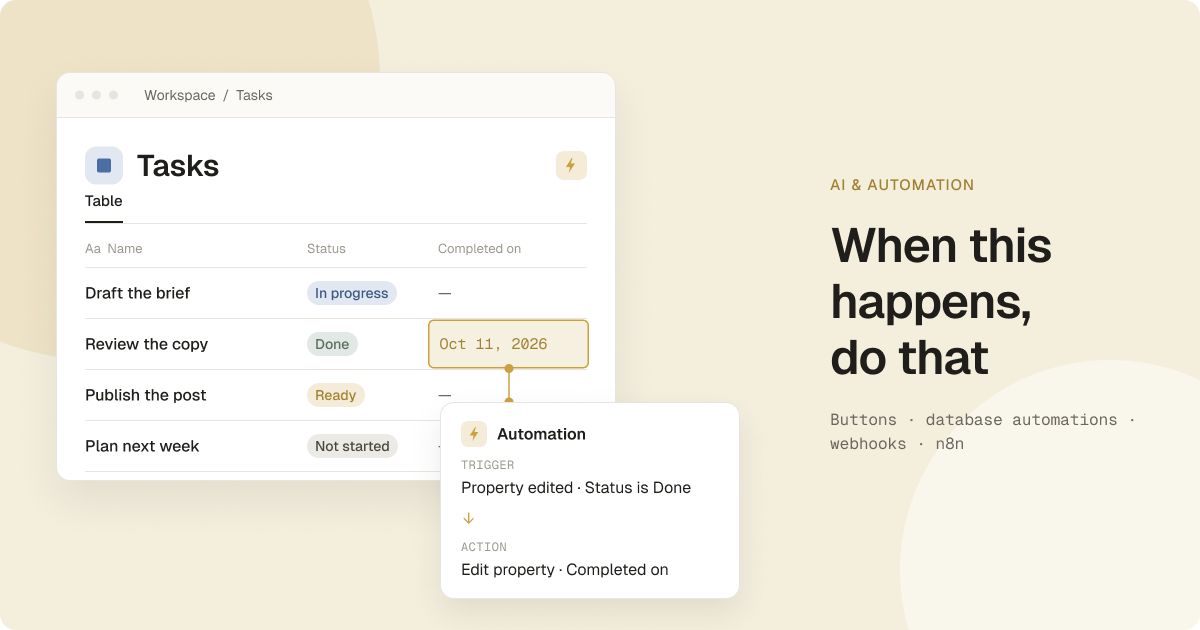
If you want to capture faster, add buttons and database automations on top of the four databases. See automate captures with buttons and database automations.
We're preparing an AIkits AI Second Brain template built around the four-database schema and the prompts in this guide. It's coming soon.
FAQ
What is PARA?
PARA is Tiago Forte's method for organizing information into Projects, Areas, Resources and Archives. Projects have a goal and an end, areas need ongoing attention, resources are topics you're learning about, and archives hold anything no longer active (Forte Labs).
Can Notion AI search my second brain?
Yes. On Business and Enterprise, Notion Agent uses context from your workspace and has the same permissions you do. On Free and Plus, Notion Agent is a limited trial.
Can I use ChatGPT or Claude instead of Notion AI?
Yes, through Notion MCP, which works with Claude, ChatGPT Pro, Cursor and other MCP-compatible apps. Without Notion AI, search runs as keyword search and database queries share a per-workspace usage limit.
What is the best Notion second brain template?
There is no single best one. Pick a template that uses PARA, keeps the number of databases small, and uses clear titles and status values so an AI assistant can read it. Try a free one from Notion's second brain category before you pay.
Is there a free Notion second brain template?
Yes. Notion's template marketplace has a second brain category with a Free filter. Check each listing for what it includes.
What is the second brain app by Notion?
We found no separate Notion app by that name. A second brain in Notion is a setup inside the regular Notion app, usually built from a template or from your own databases.
Is Notion good for ADHD?
It depends on the person and the setup, and this isn't medical advice. A small system with one inbox, few properties and saved prompts reduces the number of steps between having a thought and storing it.
Do I need a paid plan for an AI second brain in Notion?
No. The four databases work on the Free plan, and you can connect Claude or ChatGPT through Notion MCP. Scheduled Custom Agents and full Notion Agent access need Business or Enterprise.